1 / 36Records API
Talk transcript
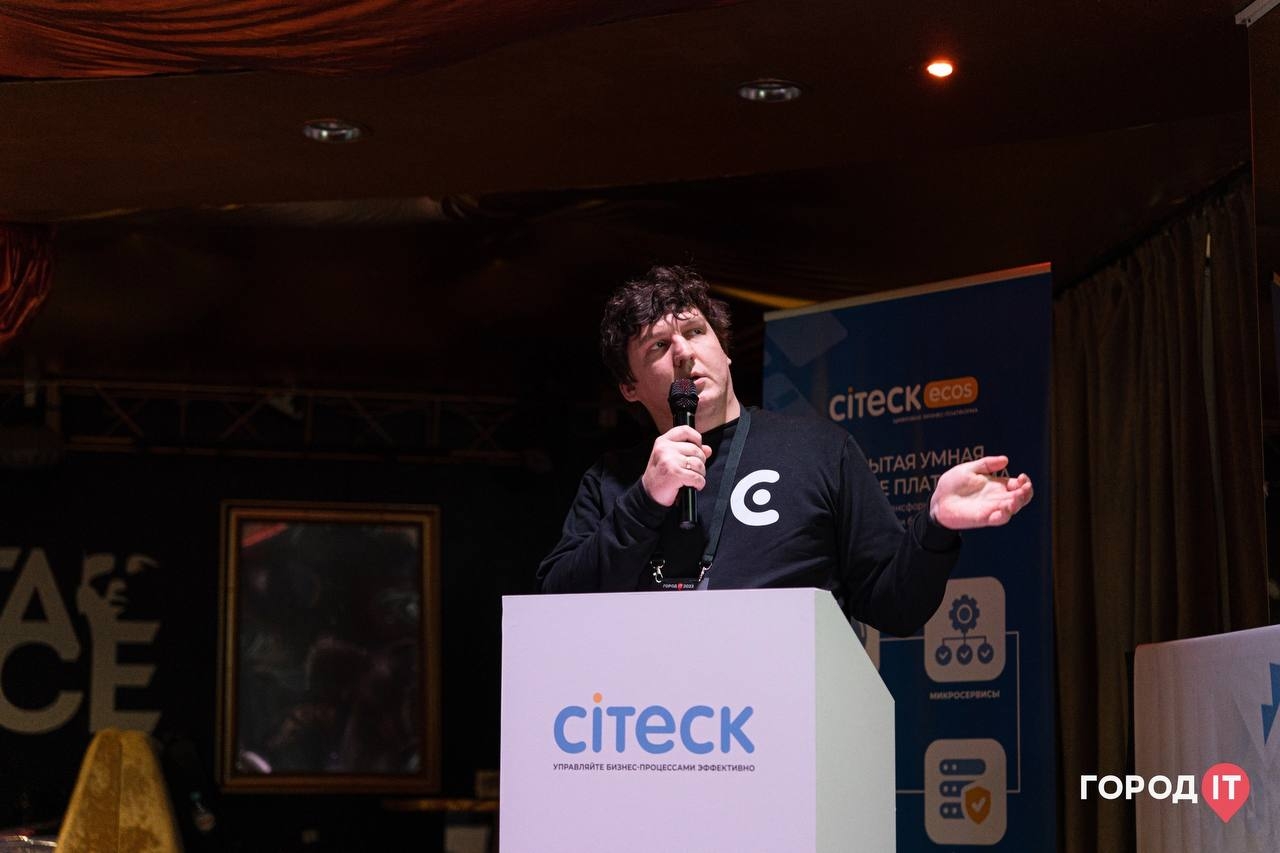
Hello! I’m Pavel Simonov, a systems architect at Citeck. This talk is about Records API, our own development and a rethinking of GraphQL for a low-code platform.
An edited transcript based on the recording’s automatic Russian captions and slides; it is not a verbatim transcript checked against the audio. Repetitions and filler words have been removed; technical names were checked against the slides. Unclear passages are marked. The content retains the context of the 2023 talk.
The original slide images remain in Russian. The transcript is available in the selected language; code and API identifiers are not translated.
Hello! I’m Pavel Simonov, a systems architect at Citeck. This talk is about Records API, our own development and a rethinking of GraphQL for a low-code platform.

First, a little history. Like many others, we had been developing our system with a REST API for a long time. Everything was fine until we discovered that a relatively simple table, with a few fields and a hundred records, took ten seconds or more to load data from the backend.
We investigated and found that the backend was returning so much data for every row that the scale of it was alarming.

We had encountered overfetching: the client needs specific data, but the server returns much more. The slide illustrates this with a question: where, in all of this, is the user’s email?
A common quick fix is to split one large request into many small, task-specific requests, each returning only particular data. But that was not our approach: we were building a platform.
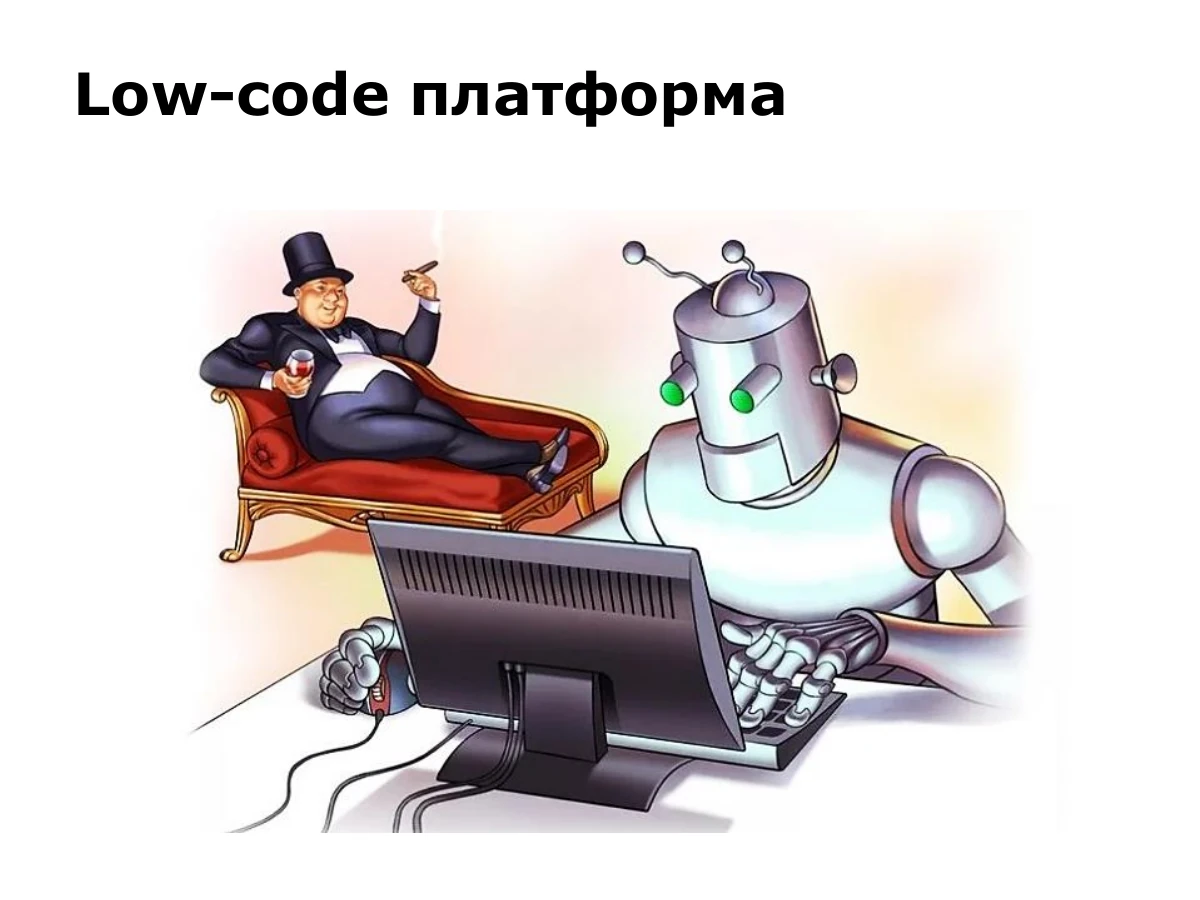
We believe robots should do the hard work, rather than people. If something can be automated, it should be automated.
In conventional development, adding a new type and its entities means implementing an entity, repository, service, controller and perhaps more. That is not low-code. We needed a different approach.
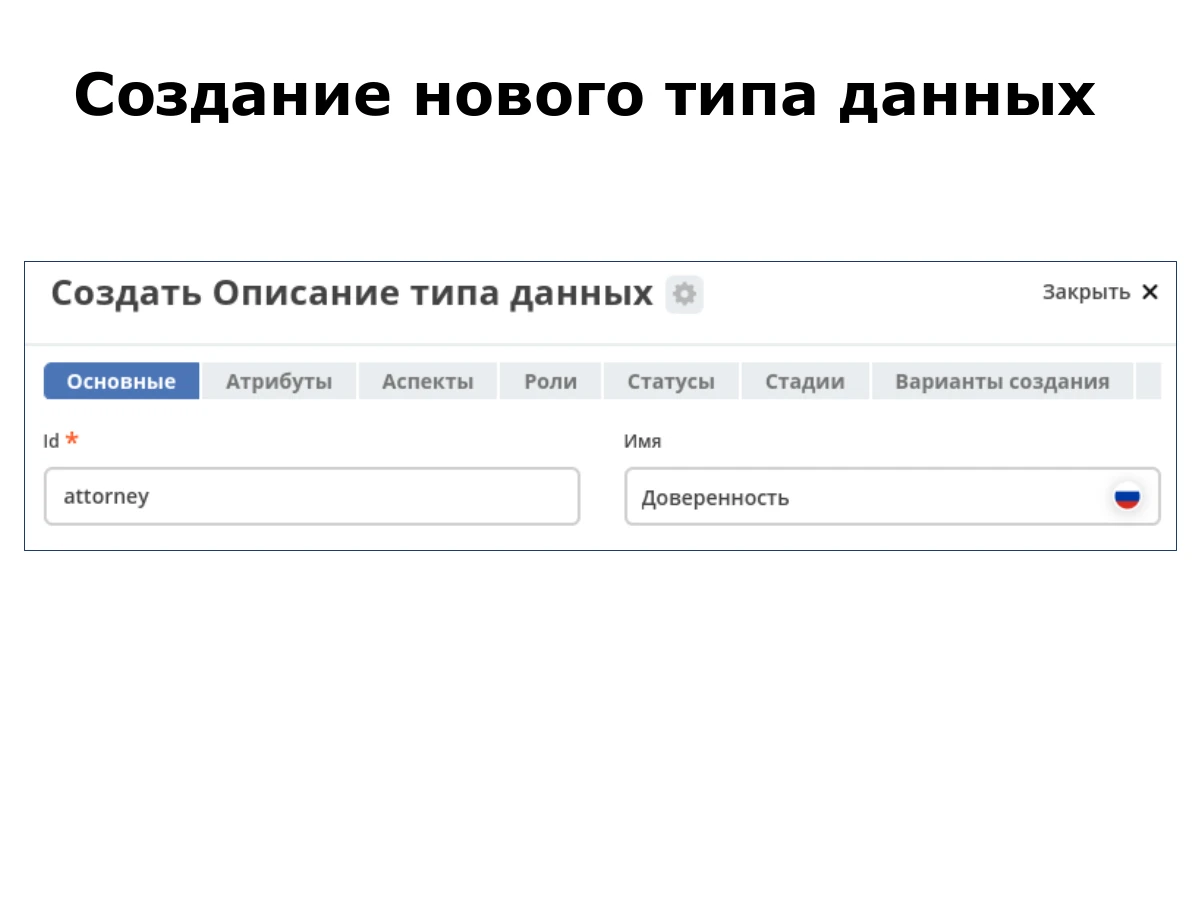
In our platform, we open the types section and create a new type, specifying its ID and name. The slide shows the power-of-attorney type, «Доверенность», with the ID attorney.
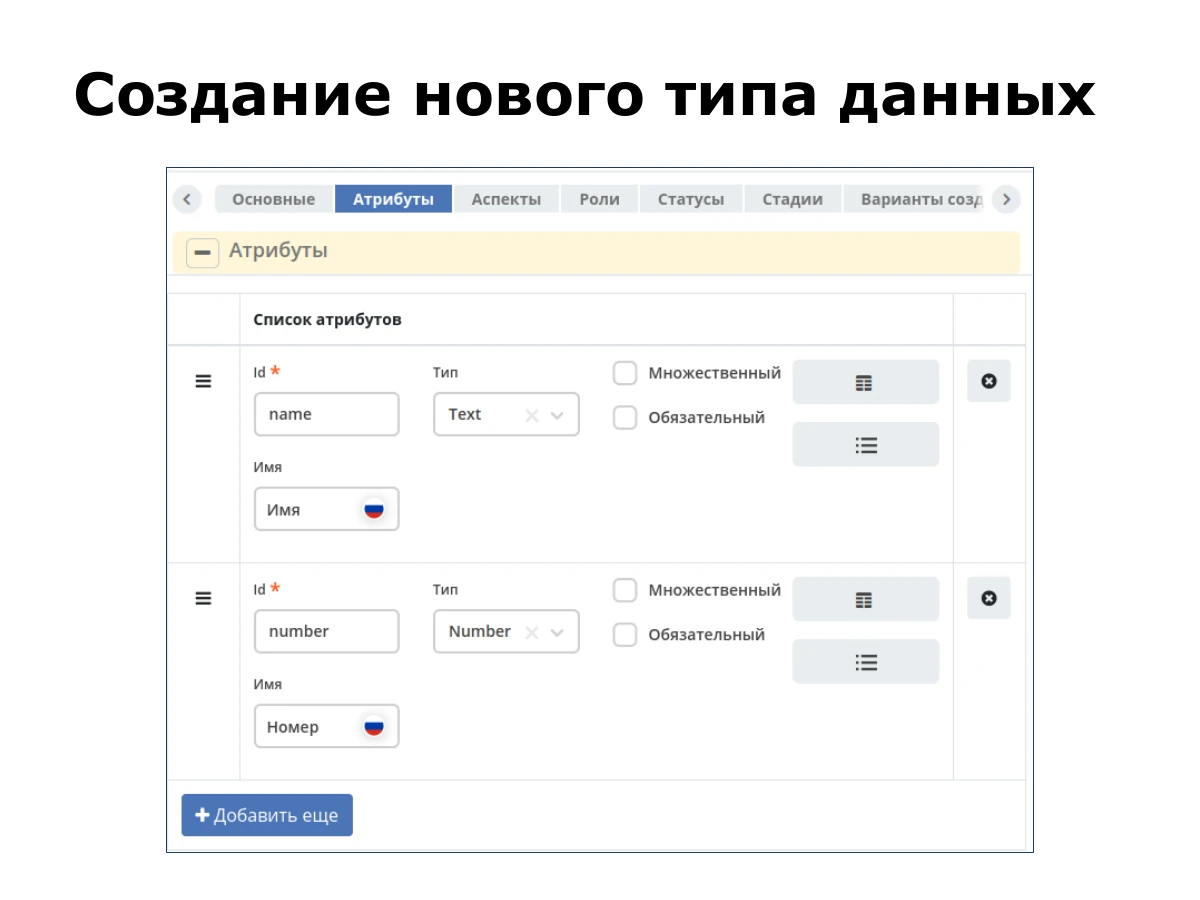
Next, we configure attributes. This example has two: name and number. We configure them and create the type. In the screenshot, name is Text and number is Number.
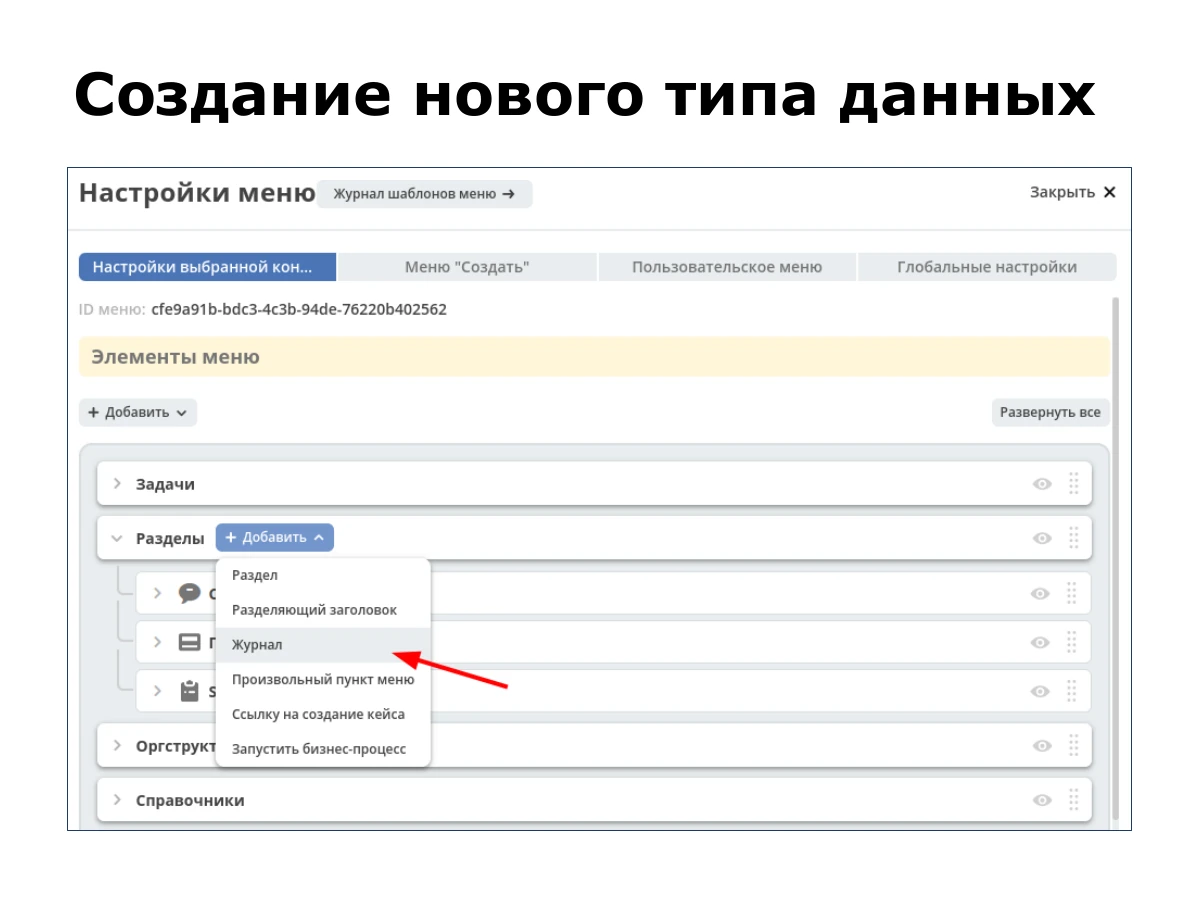
After creating the type, we go to the menu editor and add a table to display its entities. The screenshot calls this menu item «Журнал».
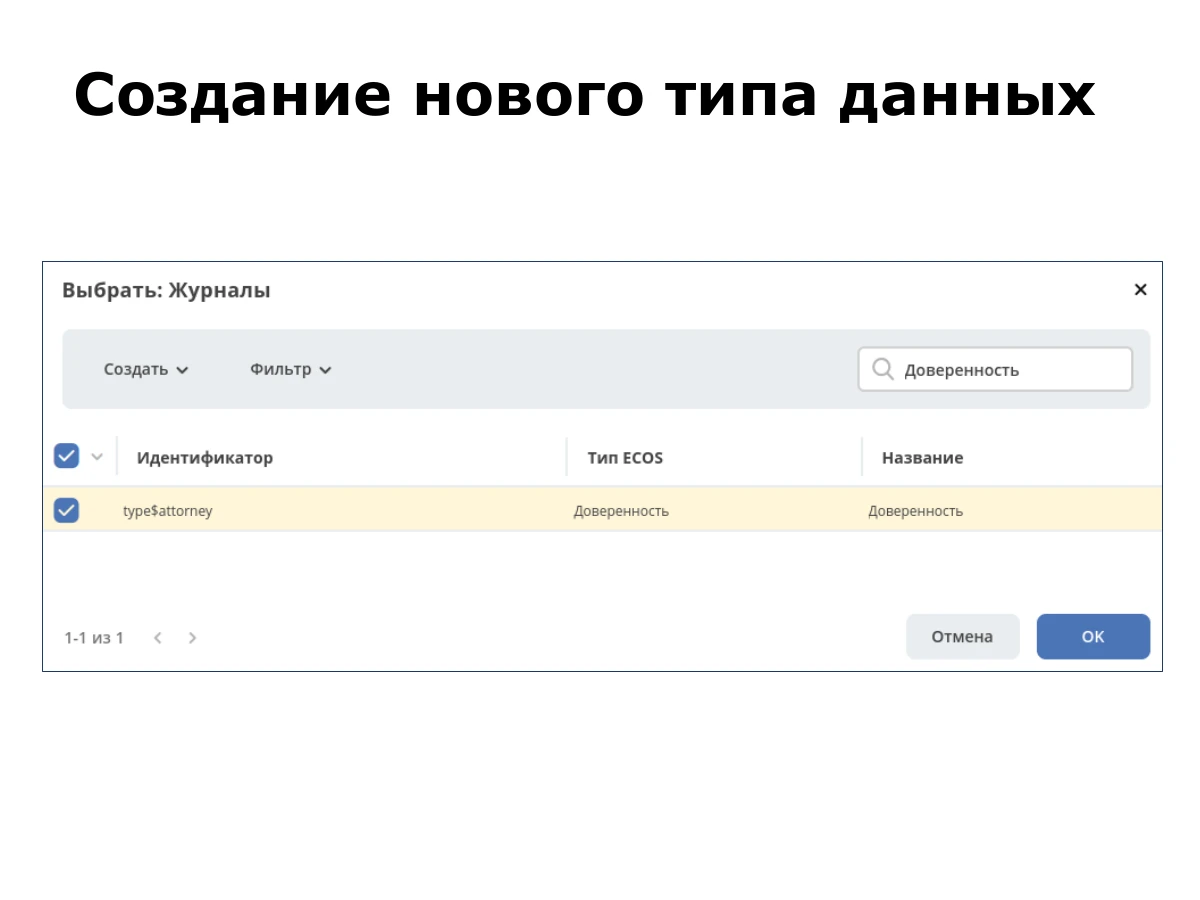
We search for the required type, select it and save the menu configuration.
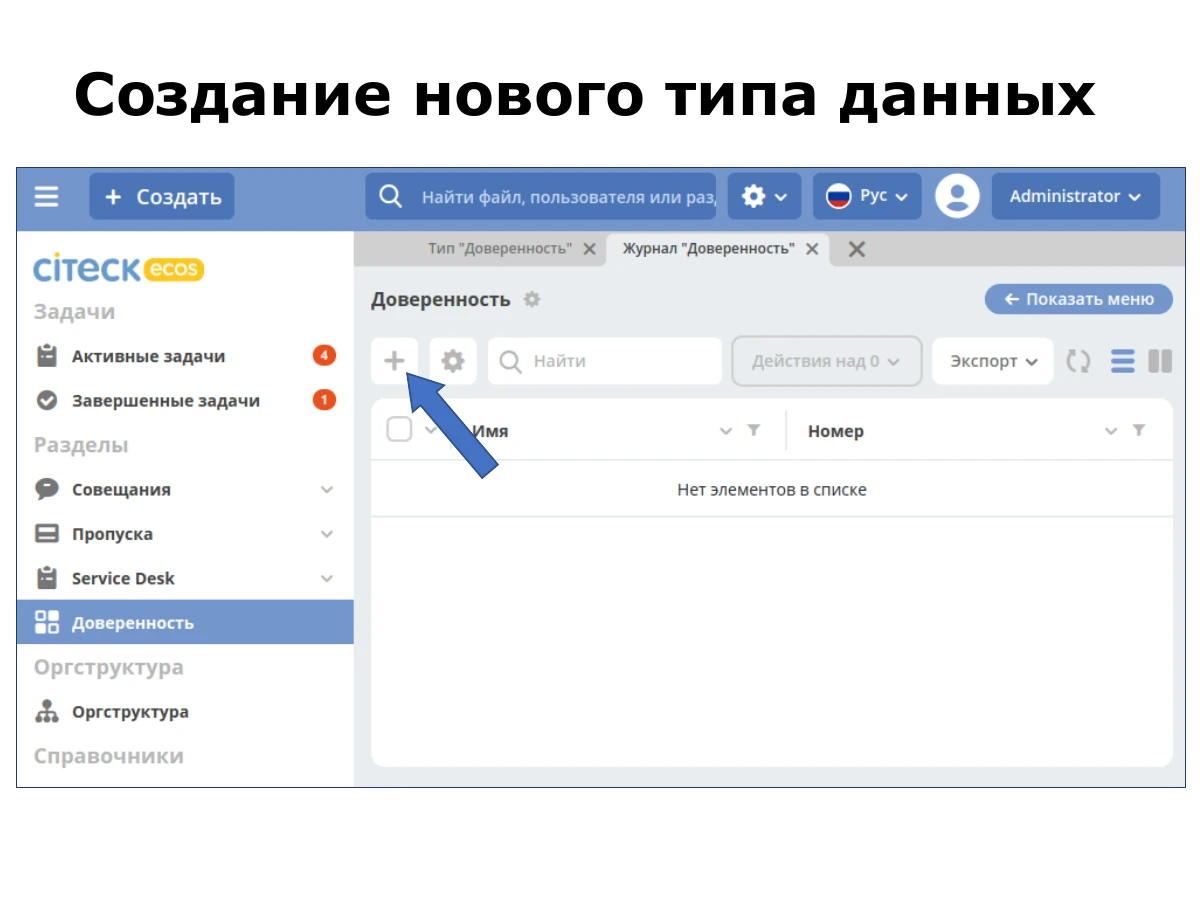
Opening the menu reveals a ready-made table with the attributes we just configured. We click the plus button to create a new entity.
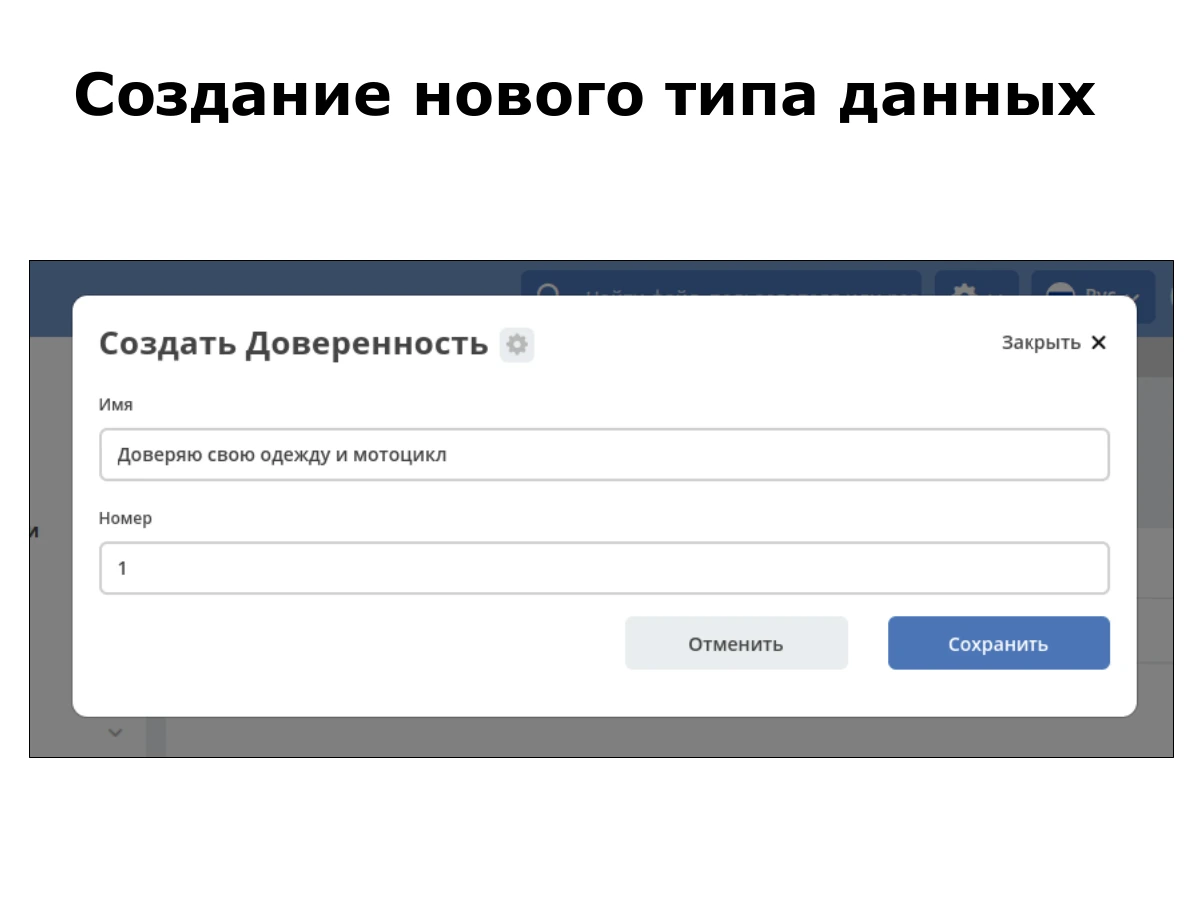
An automatically generated form appears. We enter data and save it. In this example, the power of attorney has a name and number.
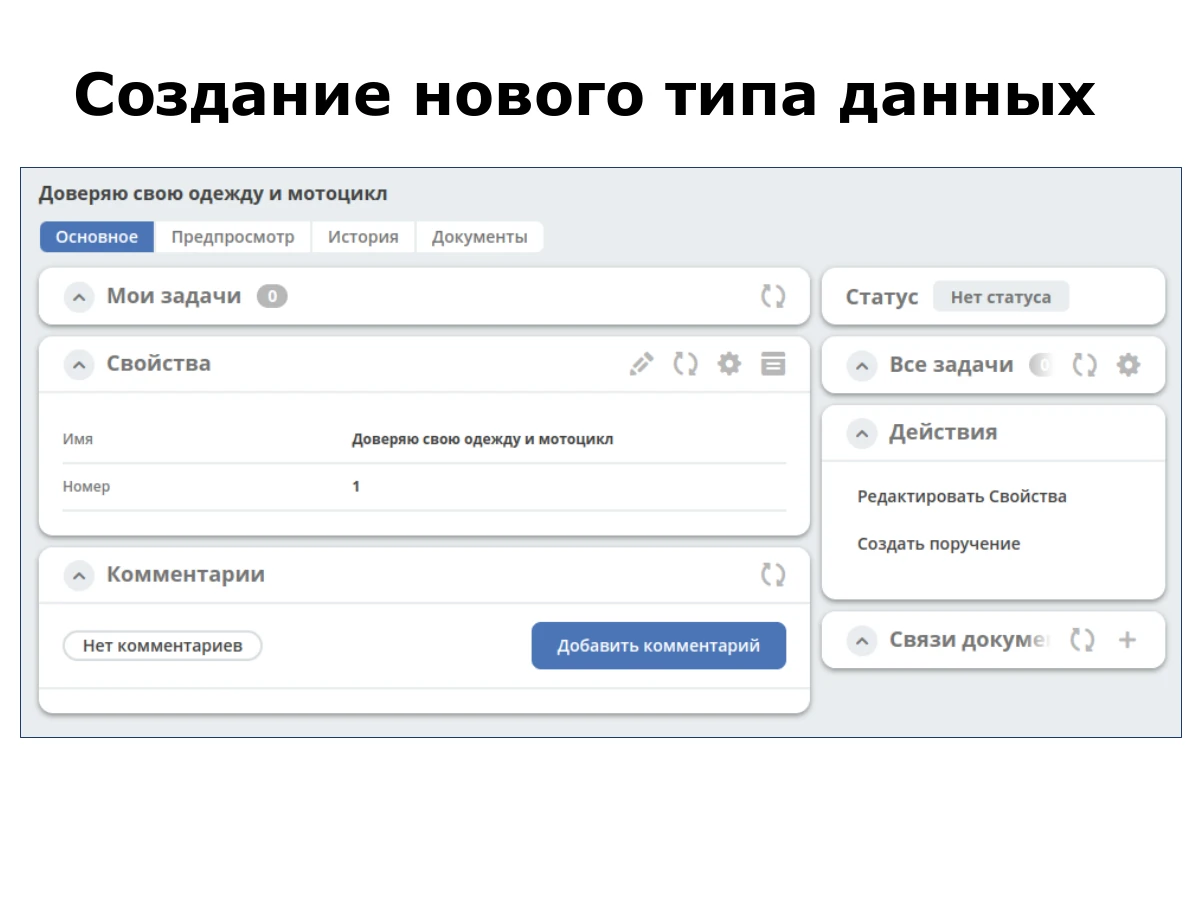
After saving, the document’s detail view appears. We did not need to implement a separate form and detail view for this new type.
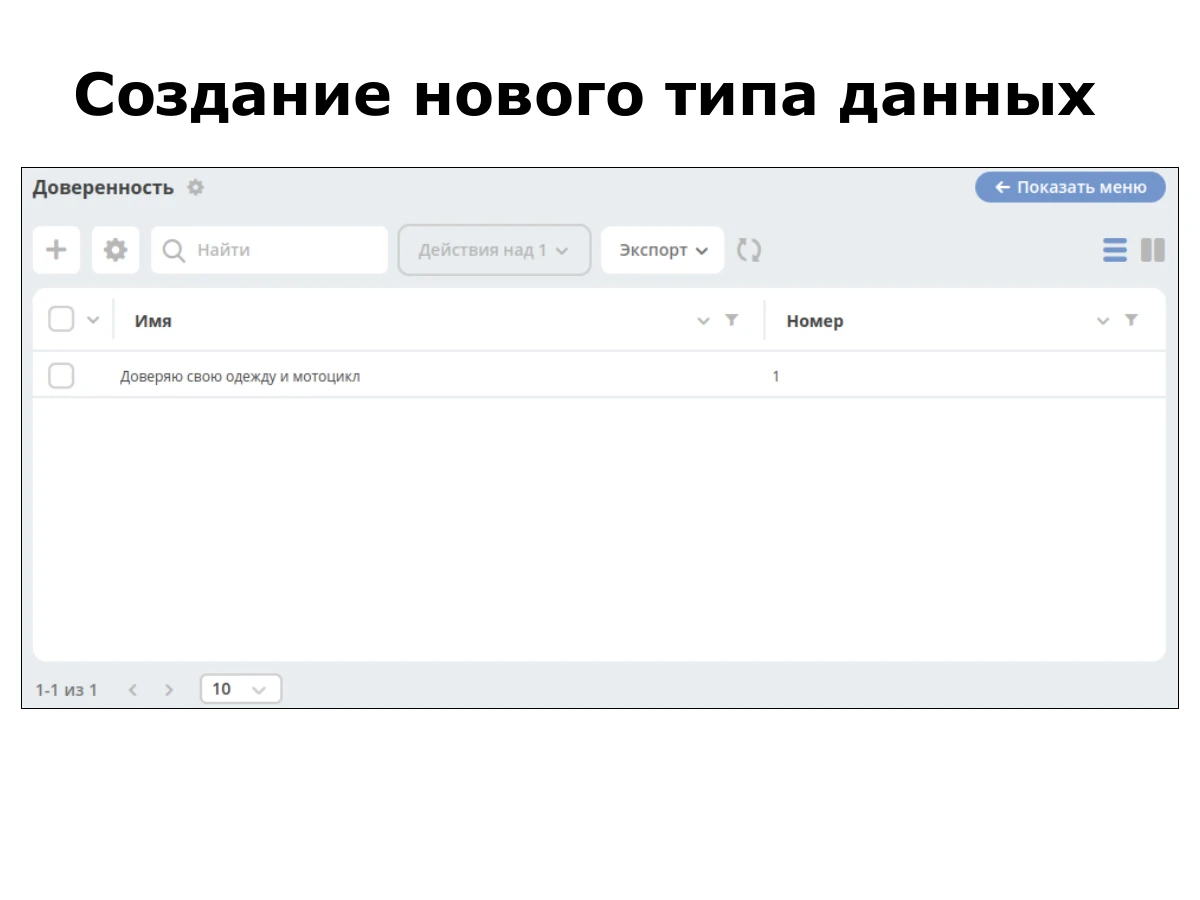
We return to the table, refresh it and see our record. The whole process is simple and quick.
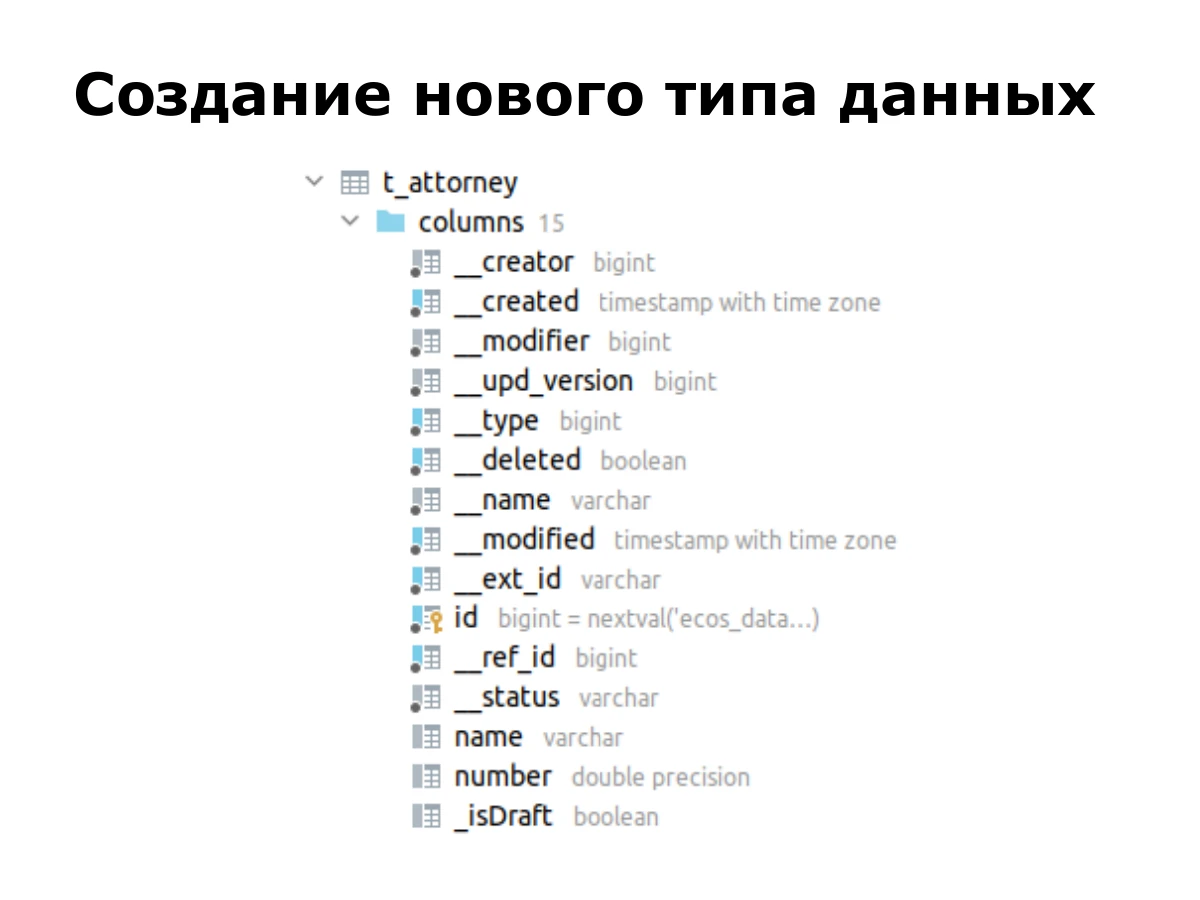
The backend creates a relatively simple table. It contains metadata: who created the record and when, and who modified it and when. It also contains the fields we configured, name and number.
This low-code platform makes it possible to handle such tasks flexibly. Now let’s return to overfetching.
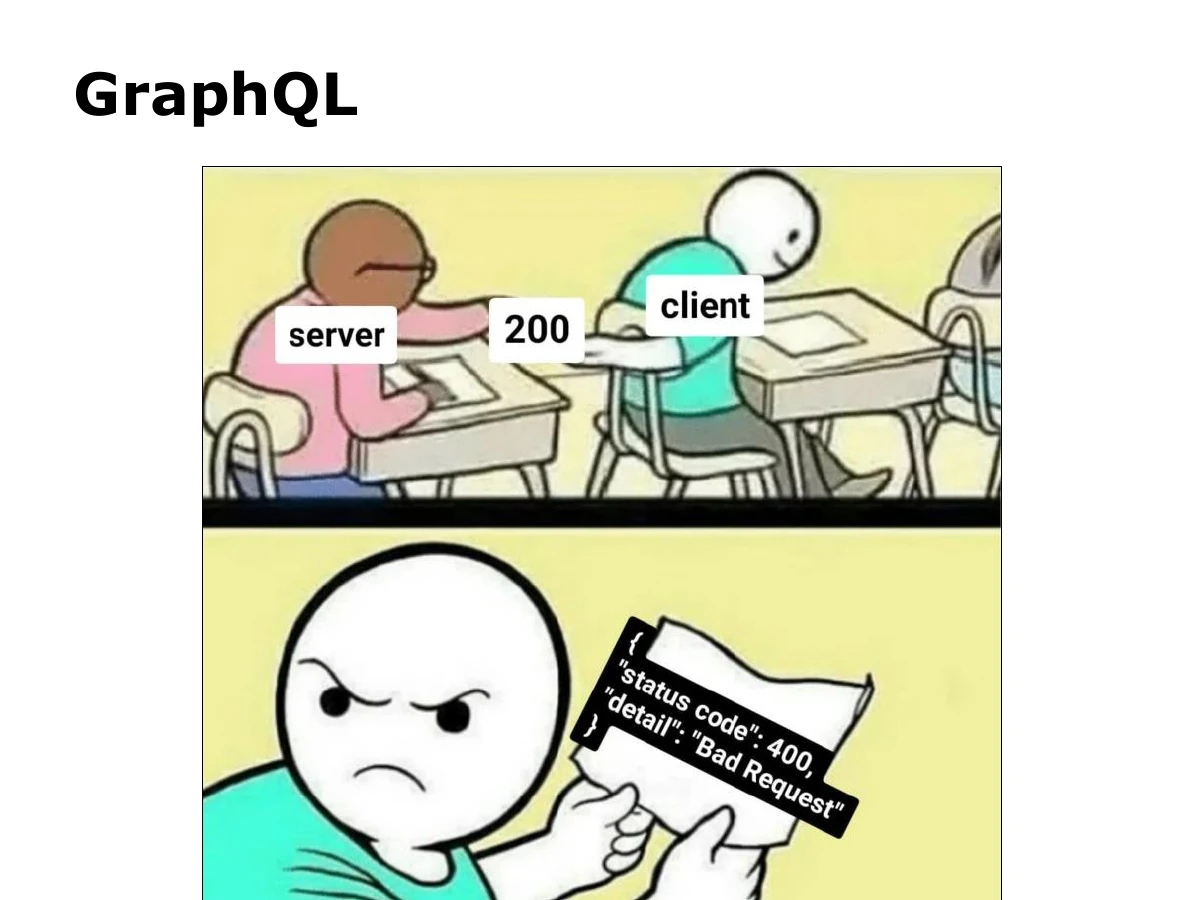
We looked for a solution, and GraphQL seemed the most obvious choice. At first glance it fits: the client specifies what it needs, and the backend returns only that. The problem appears to be solved.
But when we started integrating GraphQL, fitting it into our low-code platform felt like forcing a square peg into a round hole. It did not fit. Let’s look at the specific problems we encountered.
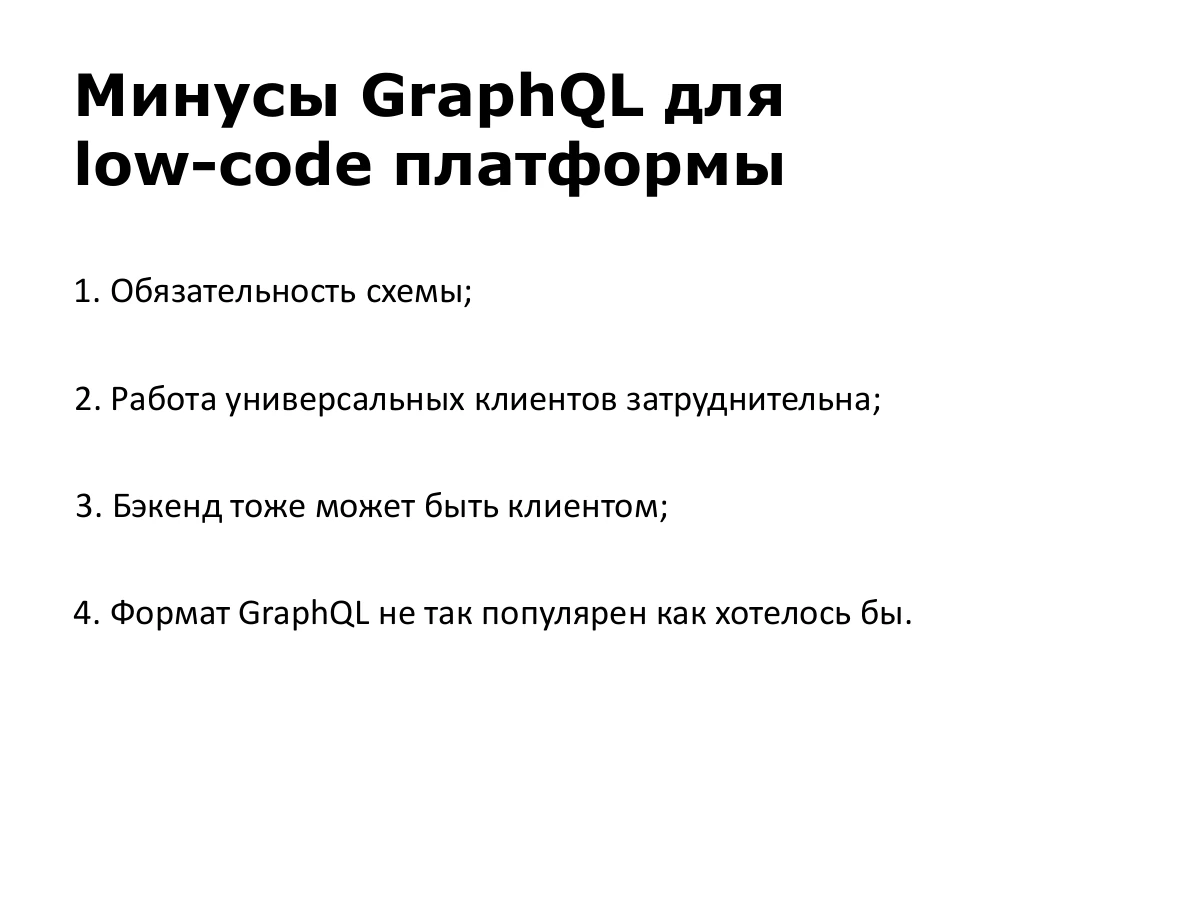
First, the mandatory schema. Normally this is a major benefit: a contract between client and server, so the server knows what to return and the client knows what to expect. But our entities are created on the fly. An analyst can add types just by clicking. Trying to generate the schema automatically or make it universal was painful.
Second, generic clients are difficult to build. Our frontend cannot depend on specific business entities, such as a contract class. We work with data, maps and arrays, keeping things as generic and flexible as possible.
Third, the backend can also be a client. Microservices should communicate through the same API: why invent it twice? Customers also ask how to integrate with our system. We want to offer them the API the browser uses.
Fourth, the GraphQL format is not as widespread as we would like. A great deal is invested in promoting it, and online and offline editors exist. But support for familiar formats is available in almost any tool.
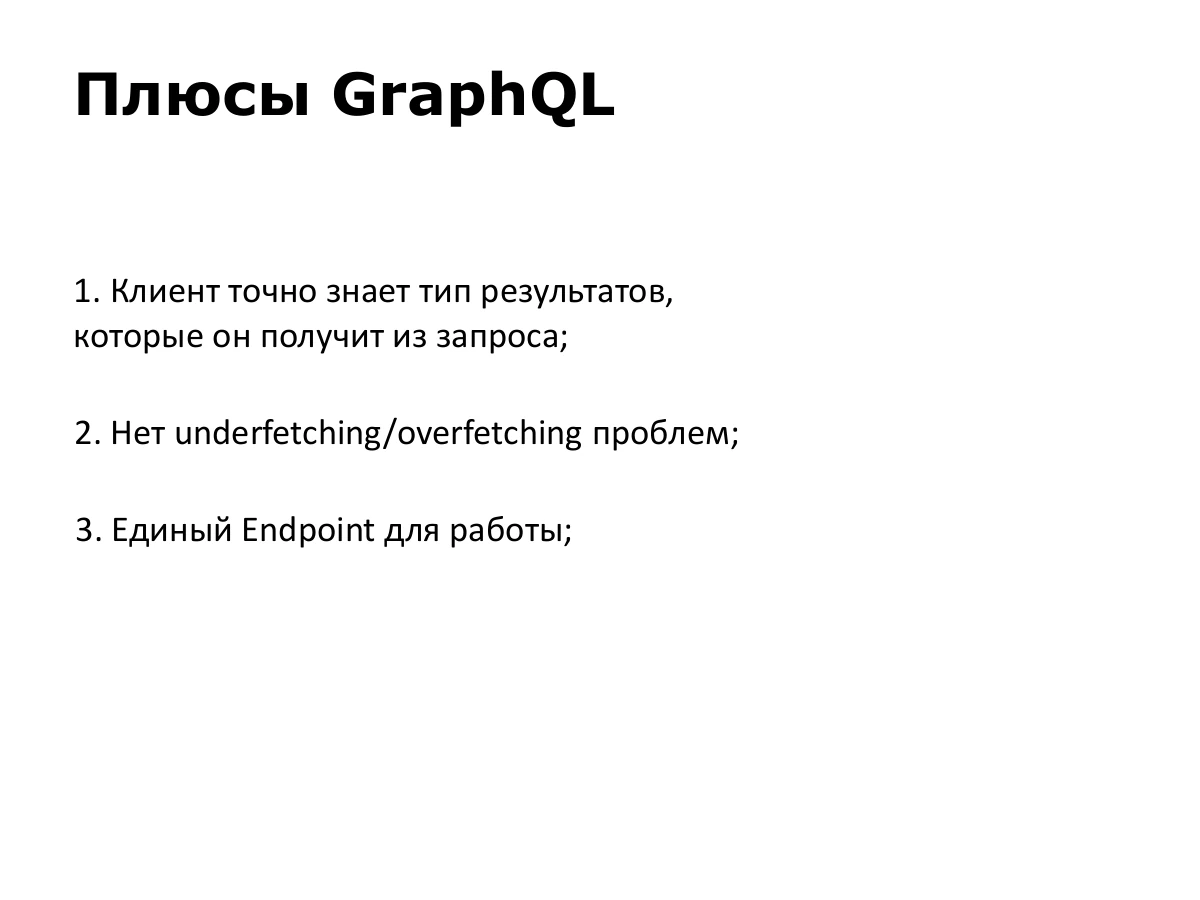
There are advantages we liked very much. The client knows exactly the type of result it will receive; GraphQL achieves this through its schema.
There are no underfetching or overfetching problems, and there is a single endpoint. Creating new endpoints for routine tasks is unnecessary in our system. We wanted to retain these properties.
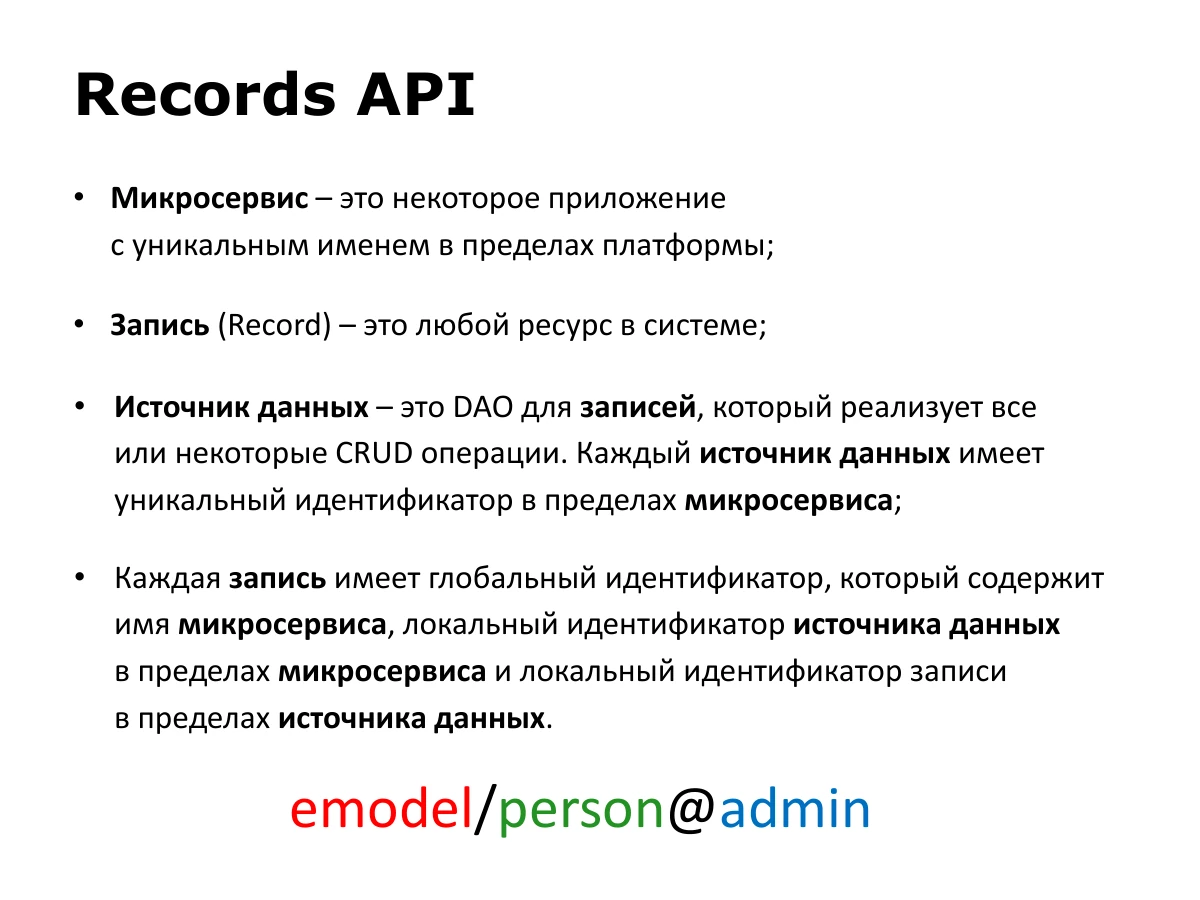
We developed our own API and named it Records API. To understand it, let’s define three basic terms and their rules.
A microservice here is an application with a unique name within the platform. A Record is any resource in the system. A data source is a DAO for records that implements all or some CRUD operations: create, read, update and delete. Its ID is unique within its microservice.
Each record has a global ID. emodel/person@admin has three parts: the microservice name emodel, the data source person after the slash, and the record’s local ID admin after @.
emodel/person@admin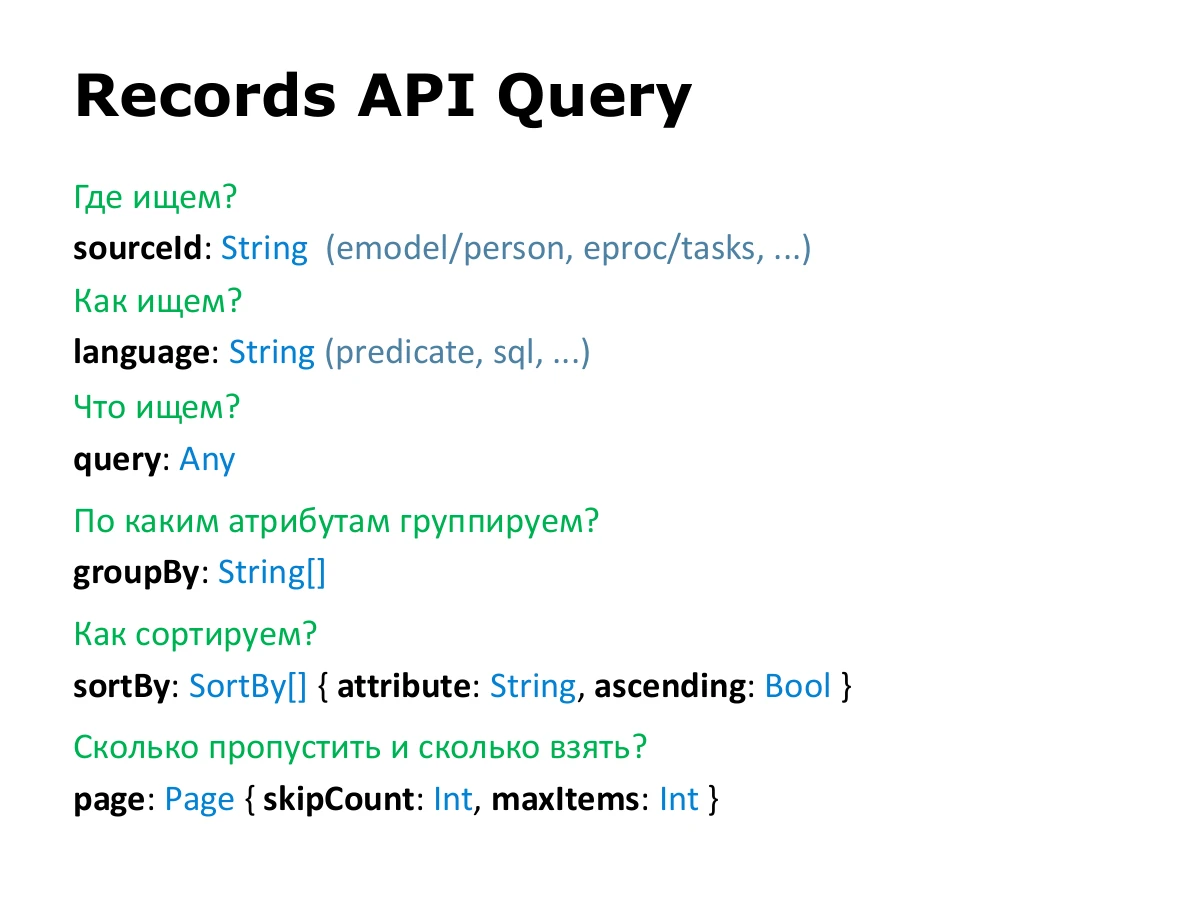
We lacked a universal search format. We used to pass objects containing required fields through parameters, which was awkward. We developed a format that answers several questions.
Where do we search? sourceId specifies the application or microservice name, a slash, and the data source ID. How do we search? language specifies the query language. To the API it is any string, but the data source must understand that language.
What do we search for? query is the query itself. It depends on the language, and interpreting it is entirely the data source’s responsibility. It is usually a string or object.
The remaining fields are standard: groupBy specifies grouping attributes; sortBy gives the attribute and sort direction; page defines how many records to skip and take.
sourceId: String
language: String
query: Any
groupBy: String[]
sortBy: SortBy[] { attribute: String, ascending: Bool }
page: Page { skipCount: Int, maxItems: Int }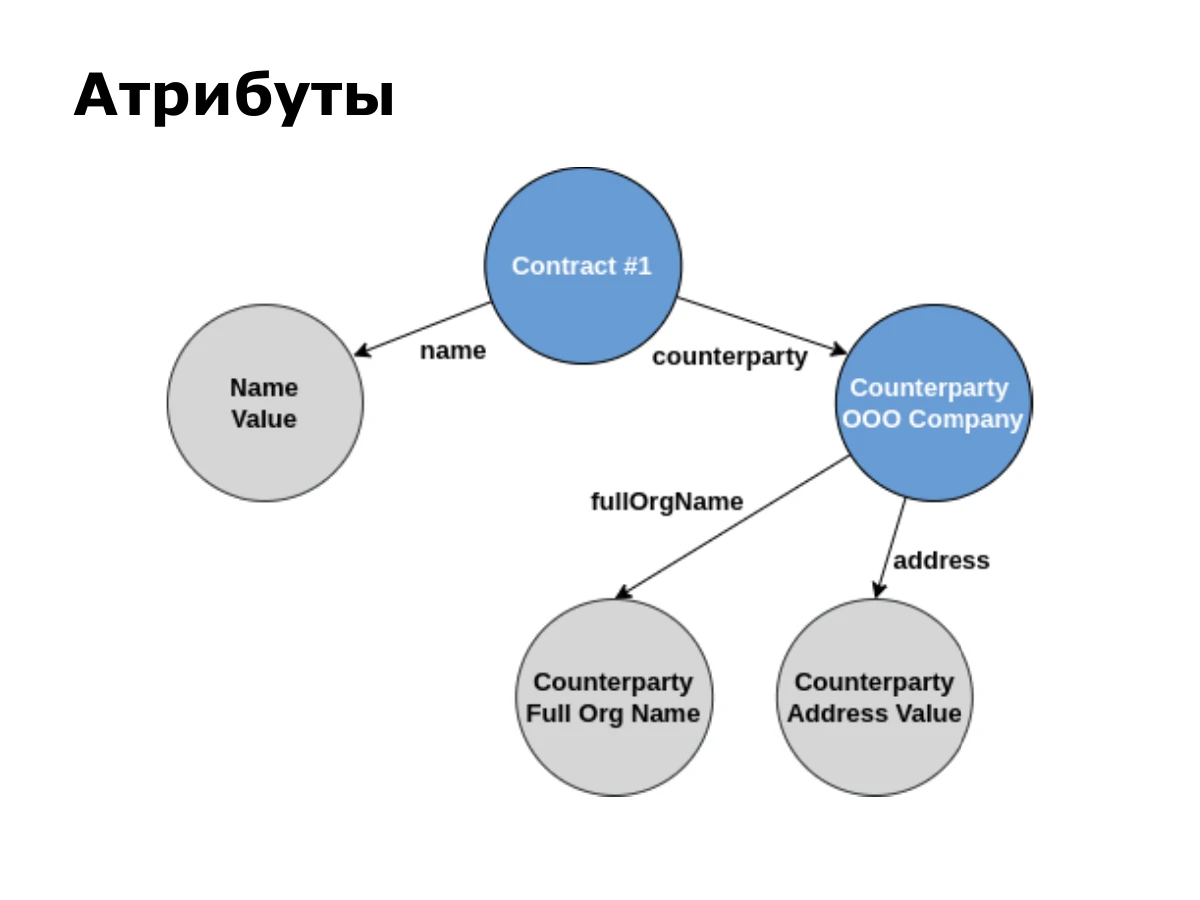
Attributes are a very important part of the API. They let a client specify the data it needs flexibly and conveniently. Working with IDs is one thing; obtaining the full name of a related counterparty through a contract reference is another.
Consider a simple data graph: a contract has a text name and an association with a counterparty. The counterparty has a full organisation name and an address, also text fields.
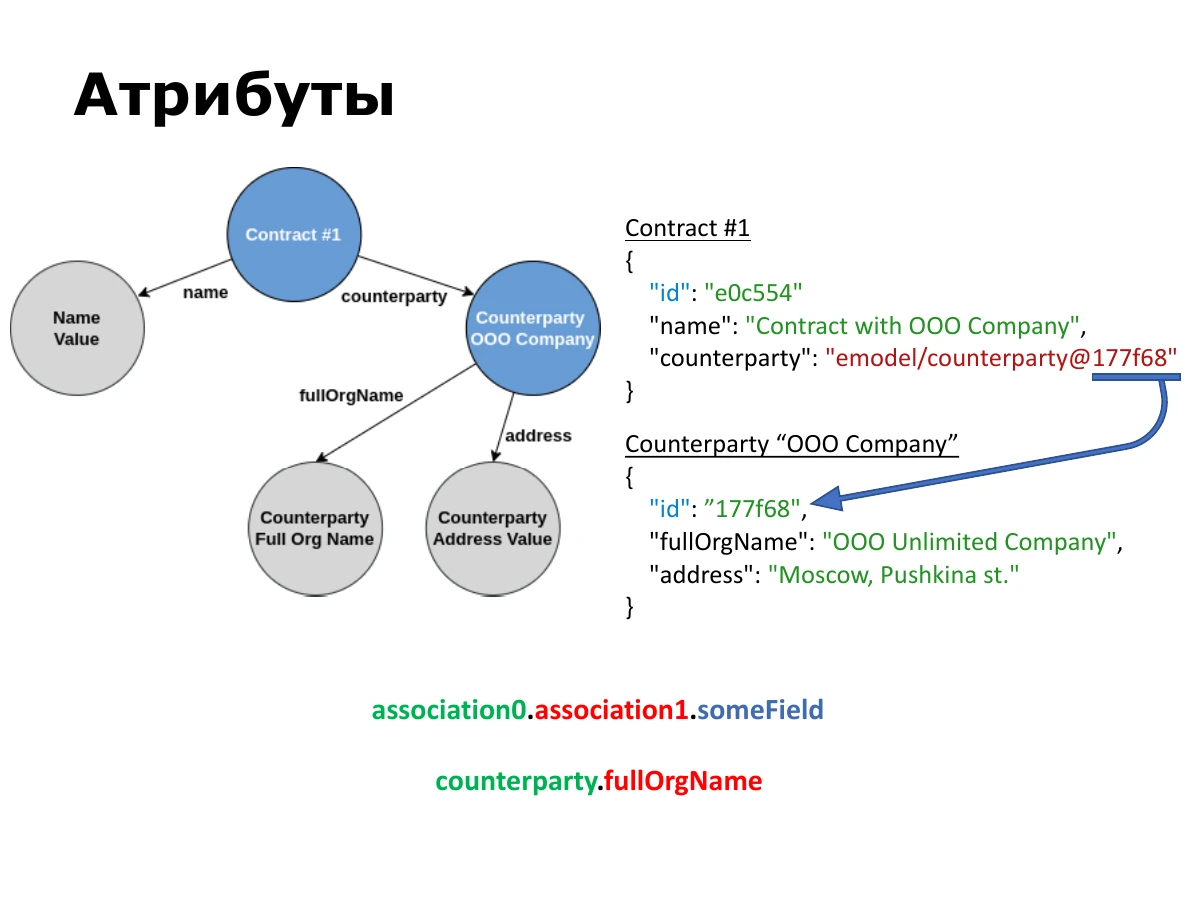
Suppose these entities contain the data on the slide. Each record has a local ID. The counterparty field stores a reference using the global format described earlier.
The first rule of Records API attributes is to use a dot for nested values. Given a contract reference, request the counterparty’s full name as counterparty.fullOrgName. A longer path looks like association0.association1.someField.
association0.association1.someField
counterparty.fullOrgName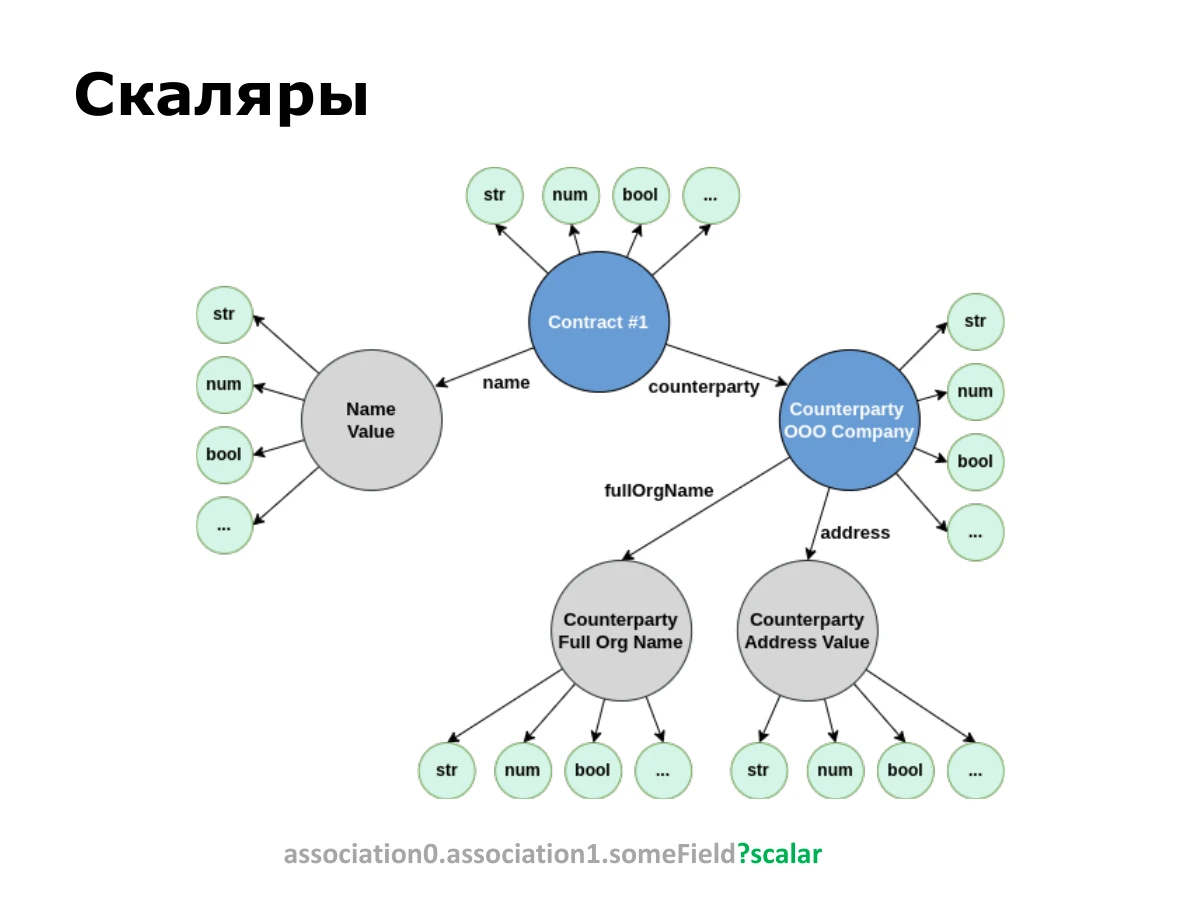
We wanted to retain GraphQL’s advantage of knowing the result type. We have no schema, so we needed another solution. That led to scalars.
Any value in the graph can have different representations. A number can be a number or string; a boolean can also be represented differently. For an entity reference, a client may need either the reference itself or the entity’s display name. The underlying value is the same.
The scalar follows an attribute and a question mark: attribute?scalar. The client states the representation it wants, and the engine converts the result to that type. [Part of the following explanation is unclear in the automatic captions.]
association0.association1.someField?scalar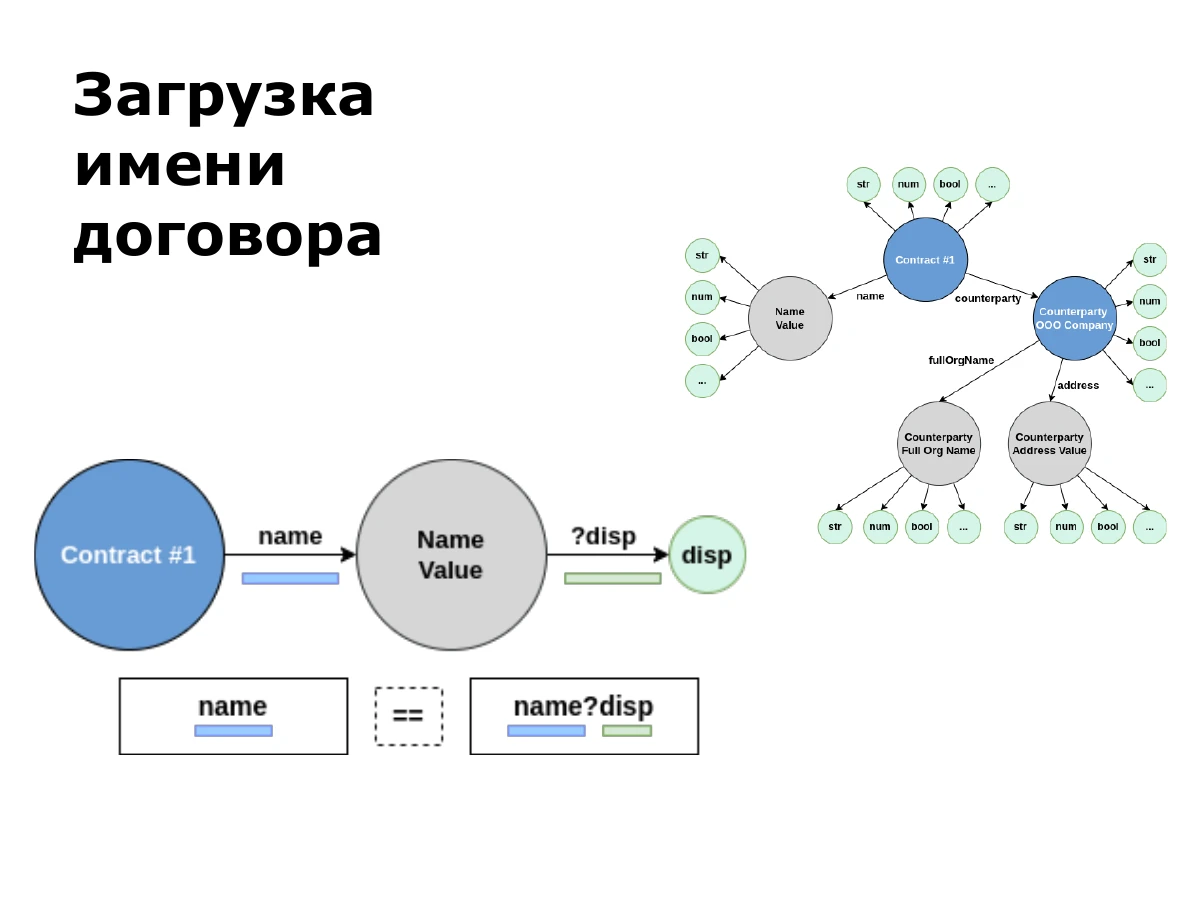
For a simple name lookup, we write name. If no scalar is specified, disp is implied, meaning display name.
For a string, that is its content. For entity references, the display name differs from the reference itself. Thus name and name?disp are equivalent in this example.
name
name?disp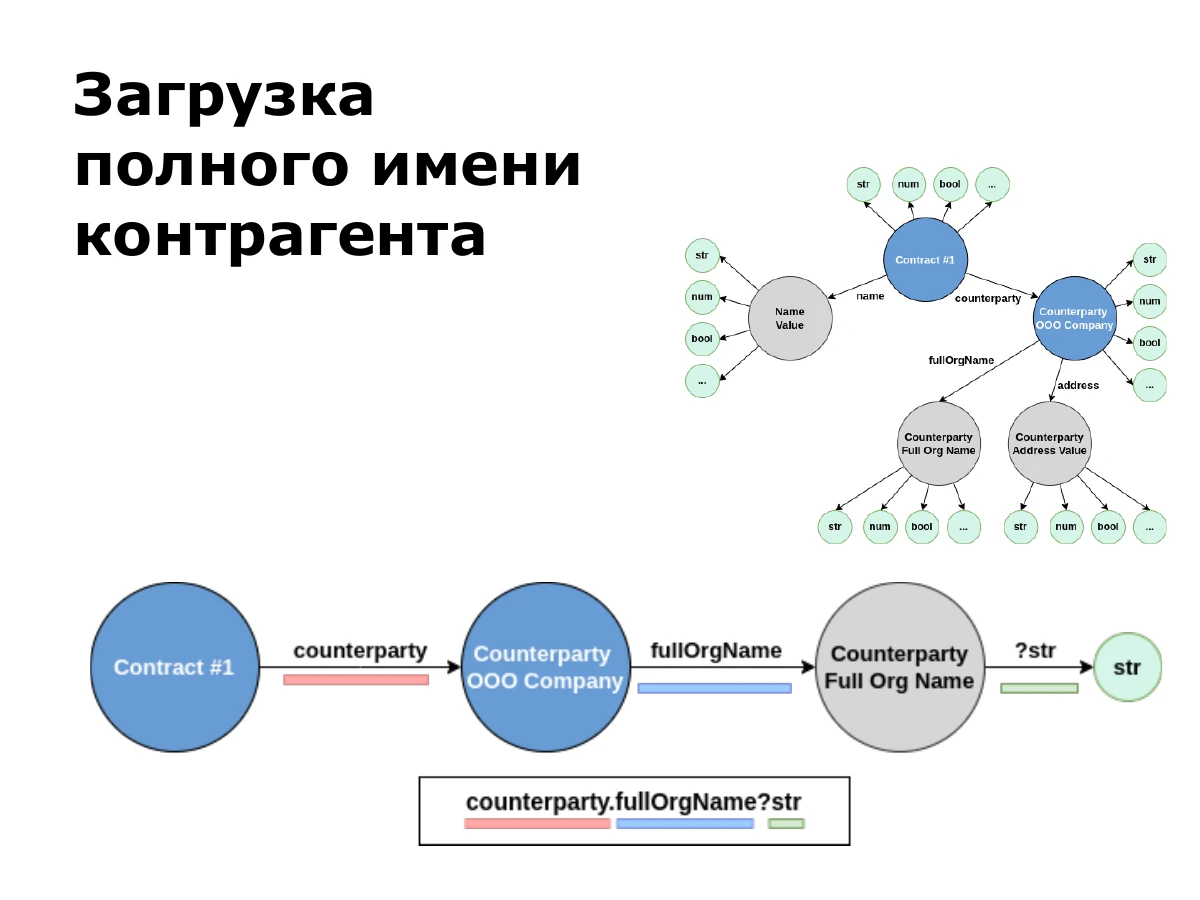
To get the counterparty’s full name from a contract reference, follow counterparty, then fullOrgName. To request a string, add str: counterparty.fullOrgName?str.
counterparty.fullOrgName?str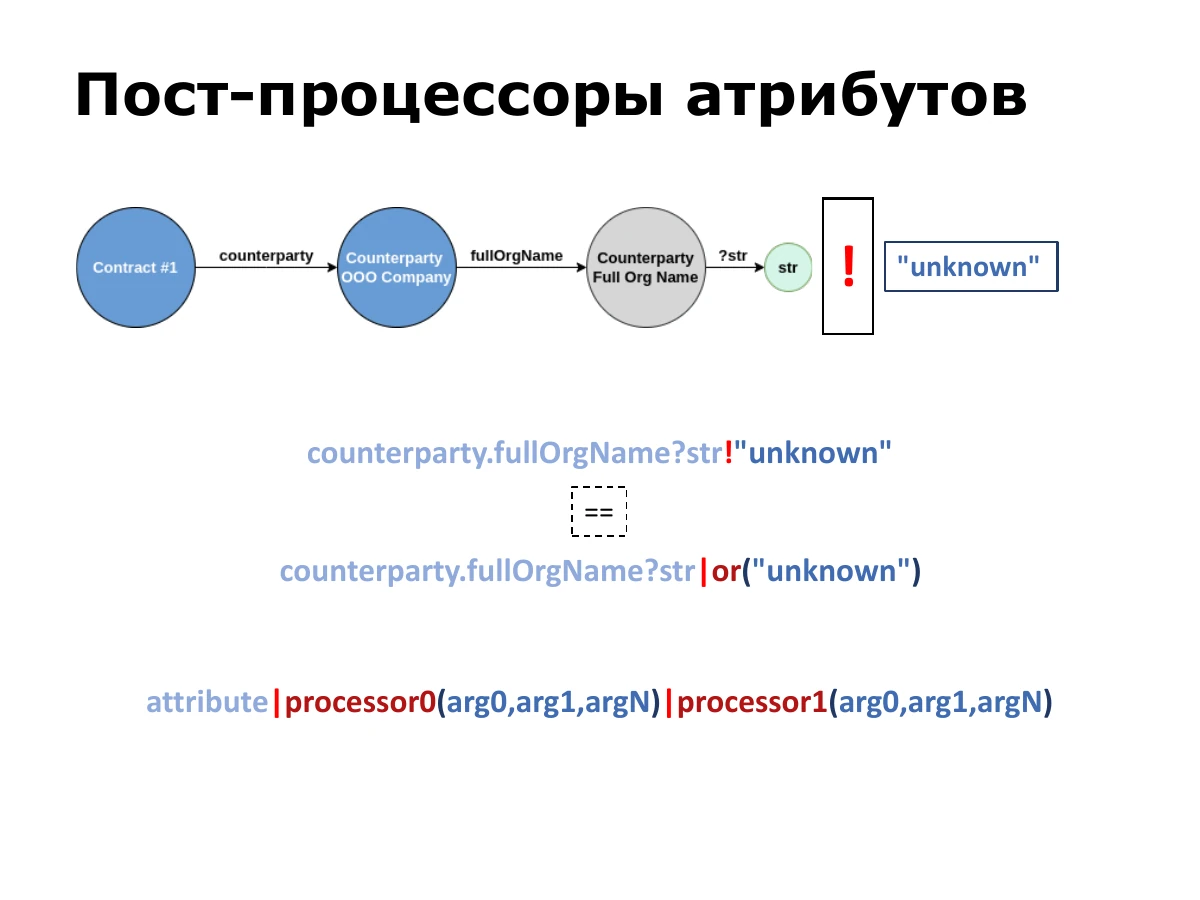
Besides using scalars to represent values, we often need to process an already calculated result. That is what postprocessors do.
The most common is or. If the result is null or an empty string, it returns a specified value. There is syntactic sugar for this: an exclamation mark followed by the default value. counterparty.fullOrgName?str!"unknown" is equivalent to counterparty.fullOrgName?str|or("unknown").
In general, an attribute is followed by a pipe and a processor with arguments; further processors can be chained. Common operations include number formatting, such as adding leading zeros. [Another postprocessor’s name is unclear in the automatic captions.] There are more specialised operations too.
counterparty.fullOrgName?str!"unknown"
==
counterparty.fullOrgName?str|or("unknown")

attribute|processor0(arg0,arg1,argN)|processor1(arg0,arg1,argN)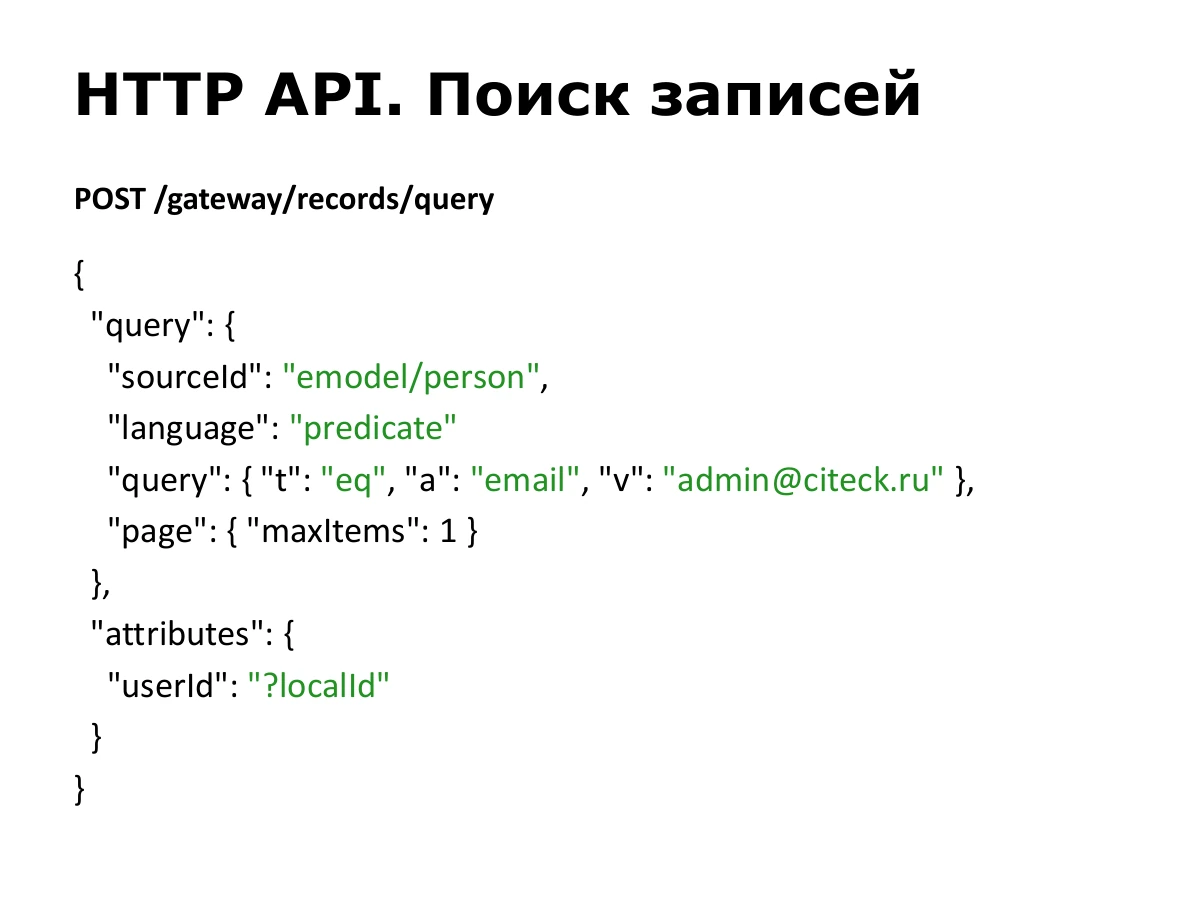
Let’s move from theory to practice. HTTP is one way to use Records API. We always use POST requests. We wanted transport independence, so we do not distribute operations across different HTTP methods.
A search supplies query in the format described and the attributes to retrieve. On the left of attributes is the result’s alias; on the right is the attribute expression. This example finds a user by email, takes one record and requests its local ID as userId.
POST /gateway/records/query

{
  "query": {
    "sourceId": "emodel/person",
    "language": "predicate",
    "query": {
      "t": "eq",
      "a": "email",
      "v": "admin@citeck.ru"
    },
    "page": {
      "maxItems": 1
    }
  },
  "attributes": {
    "userId": "?localId"
  }
}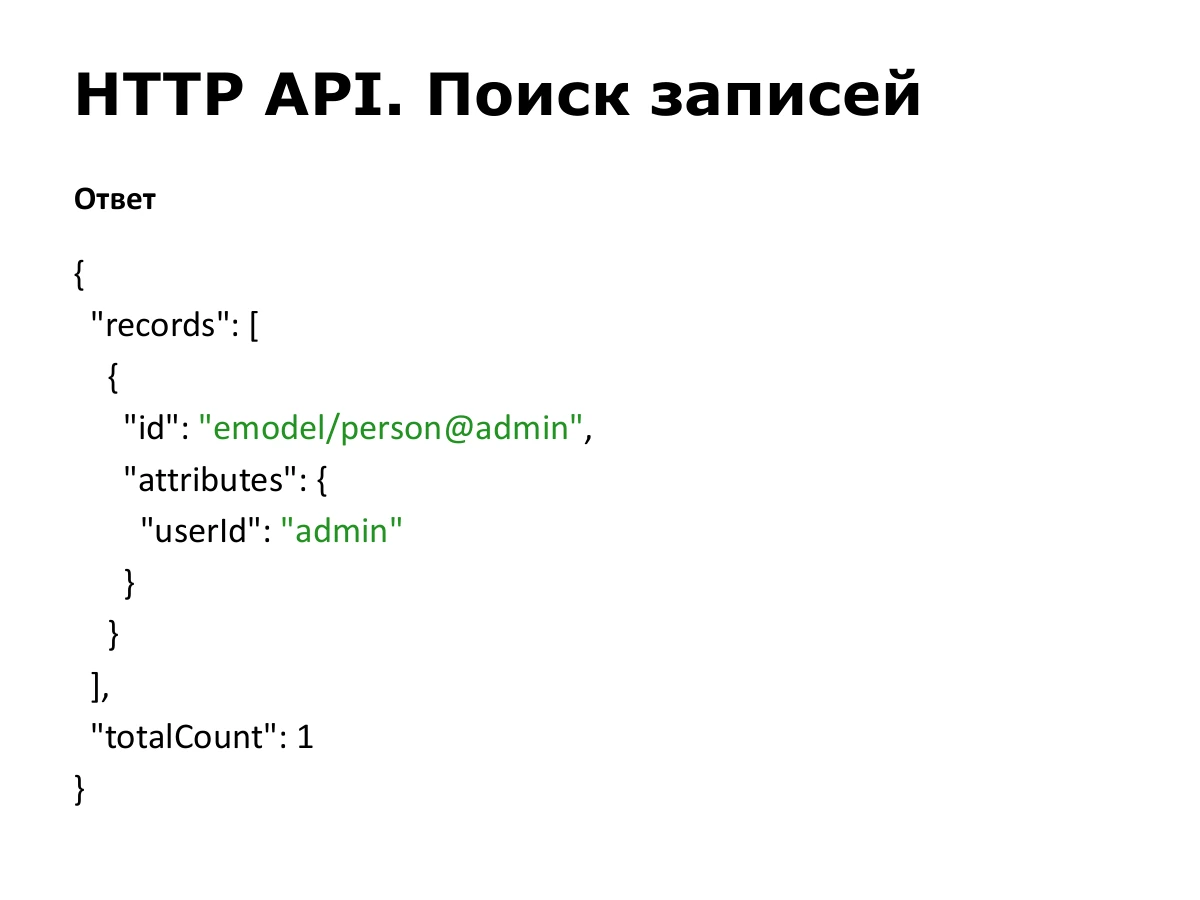
The result is a list of records. Each always has a global id and the requested attributes. Attribute names on the left are our aliases; values are on the right. For this user, userId is admin. totalCount indicates the number of matching records.
{
  "records": [
    {
      "id": "emodel/person@admin",
      "attributes": {
        "userId": "admin"
      }
    }
  ],
  "totalCount": 1
}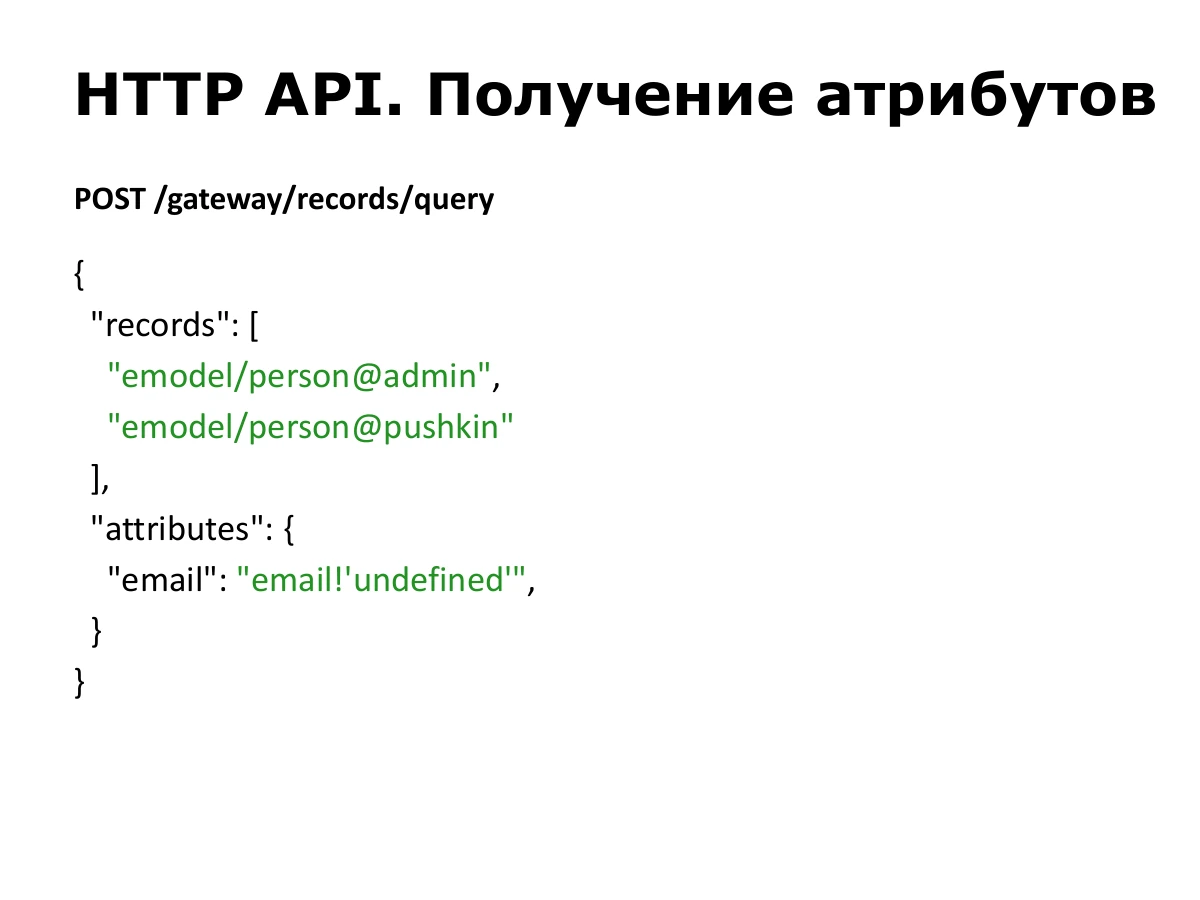
If the record IDs are already known, send them in a records array and specify the attributes. The principle is the same as in a search.
Here we request two users’ email addresses. email!'undefined' provides a string fallback if an email is missing.
POST /gateway/records/query

{
  "records": [
    "emodel/person@admin",
    "emodel/person@pushkin"
  ],
  "attributes": {
    "email": "email!'undefined'"
  }
}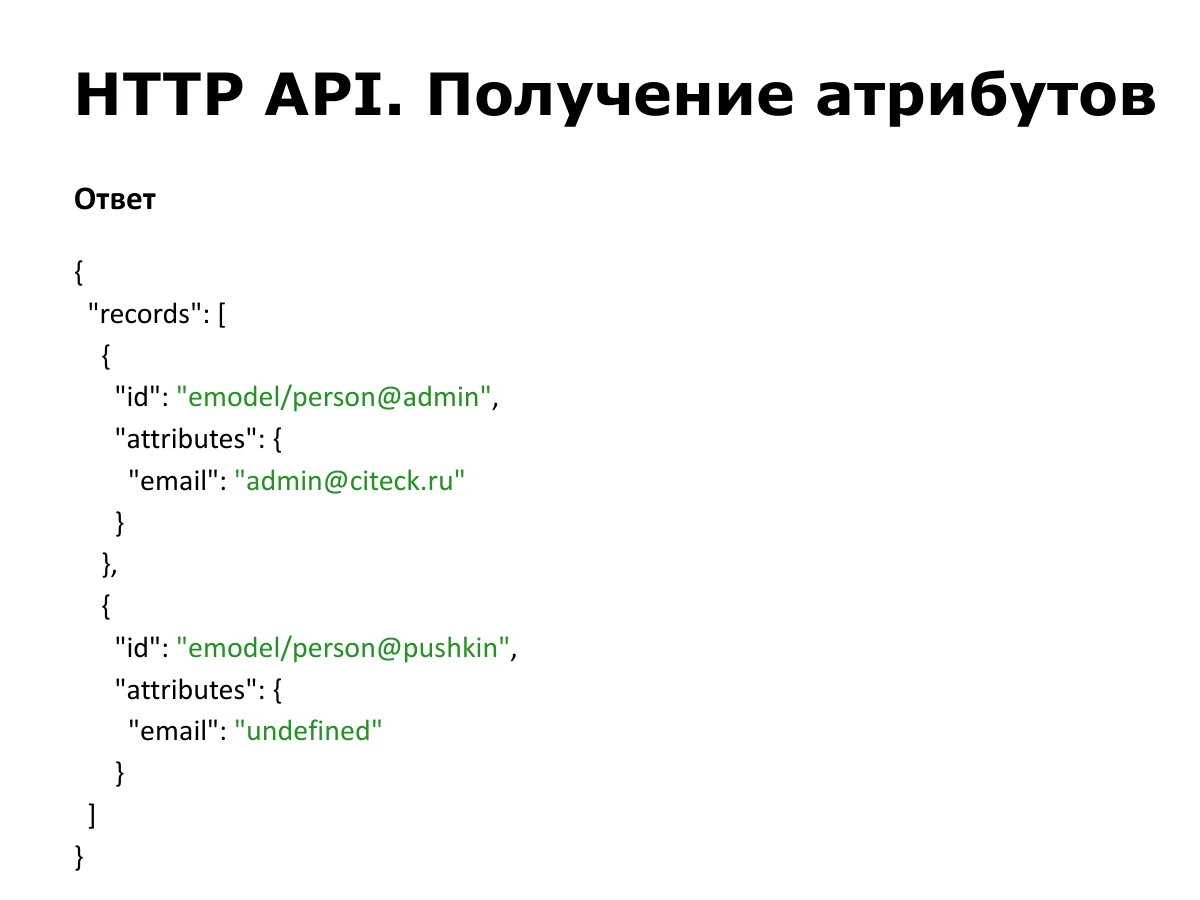
The response contains two records, each with an id and calculated attributes. admin has an email. The second record returns the string "undefined", the default specified in the request.
{
  "records": [
    {
      "id": "emodel/person@admin",
      "attributes": {
        "email": "admin@citeck.ru"
      }
    },
    {
      "id": "emodel/person@pushkin",
      "attributes": {
        "email": "undefined"
      }
    }
  ]
}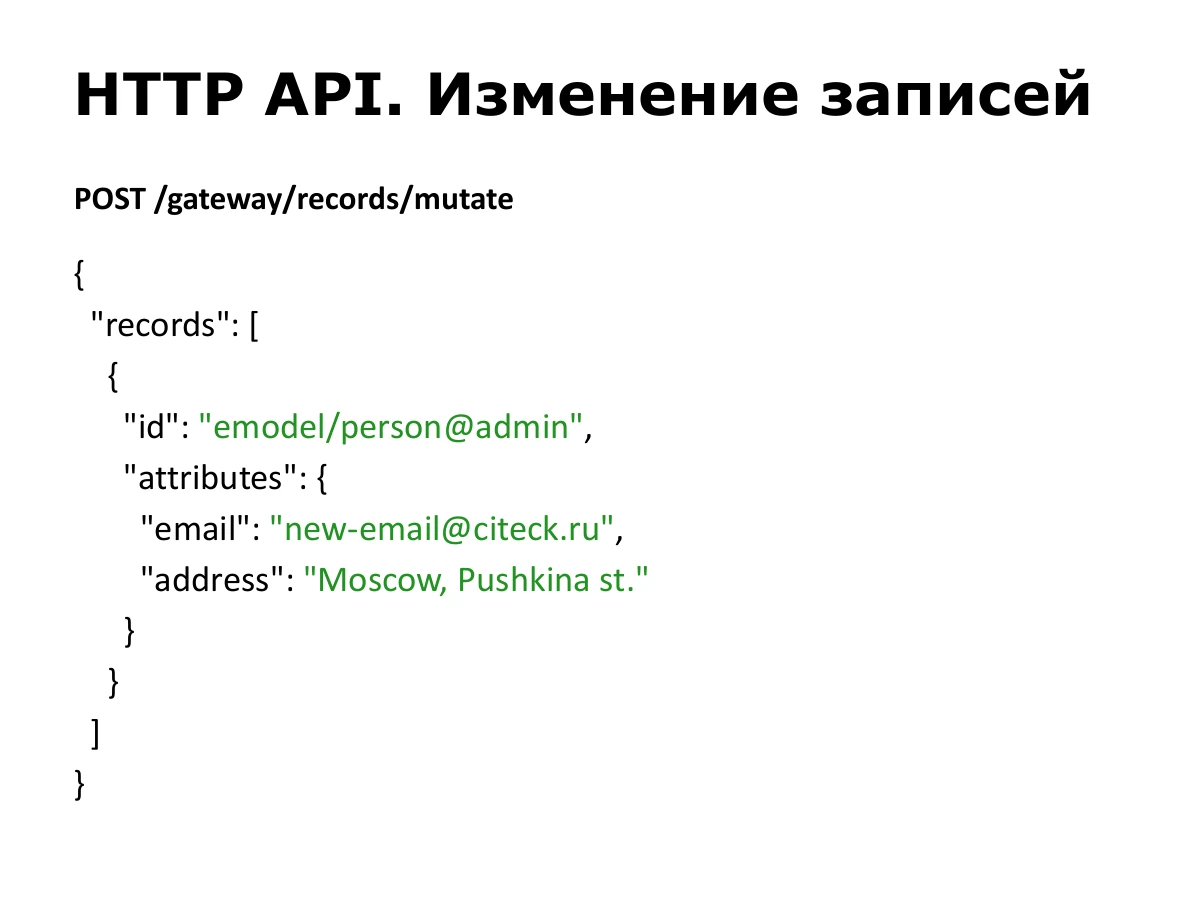
Updates use another URL, /gateway/records/mutate. We specify the record and new attribute values. This example changes admin’s email and address.
POST /gateway/records/mutate

{
  "records": [
    {
      "id": "emodel/person@admin",
      "attributes": {
        "email": "new-email@citeck.ru",
        "address": "Moscow, Pushkina st."
      }
    }
  ]
}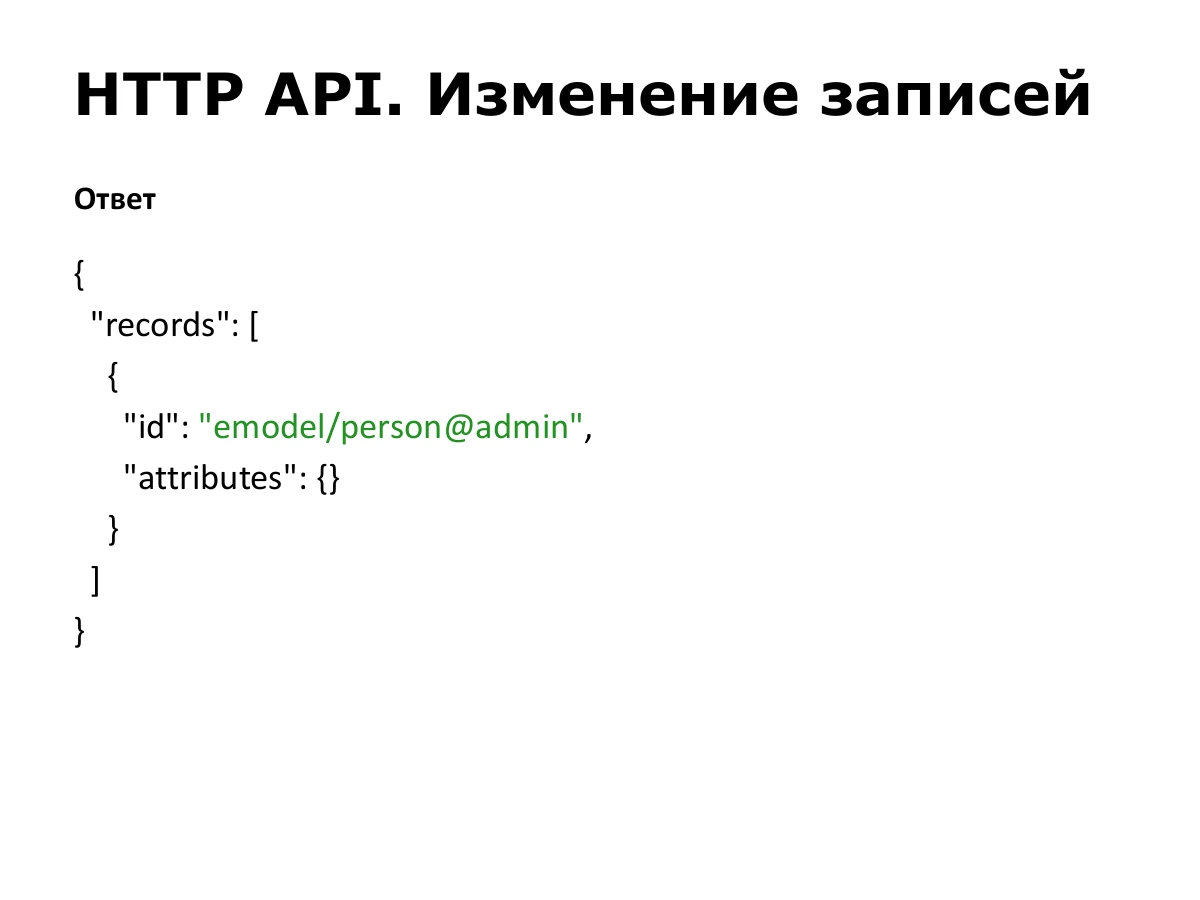
An update normally returns the same ID. Here attributes is empty. But a mutation request can also specify which attributes to retrieve from its result alongside records. This is supported and used in some places; those attributes would then be populated in the response.
If we were creating a record, the response would contain the new entity’s ID.
{
  "records": [
    {
      "id": "emodel/person@admin",
      "attributes": {}
    }
  ]
}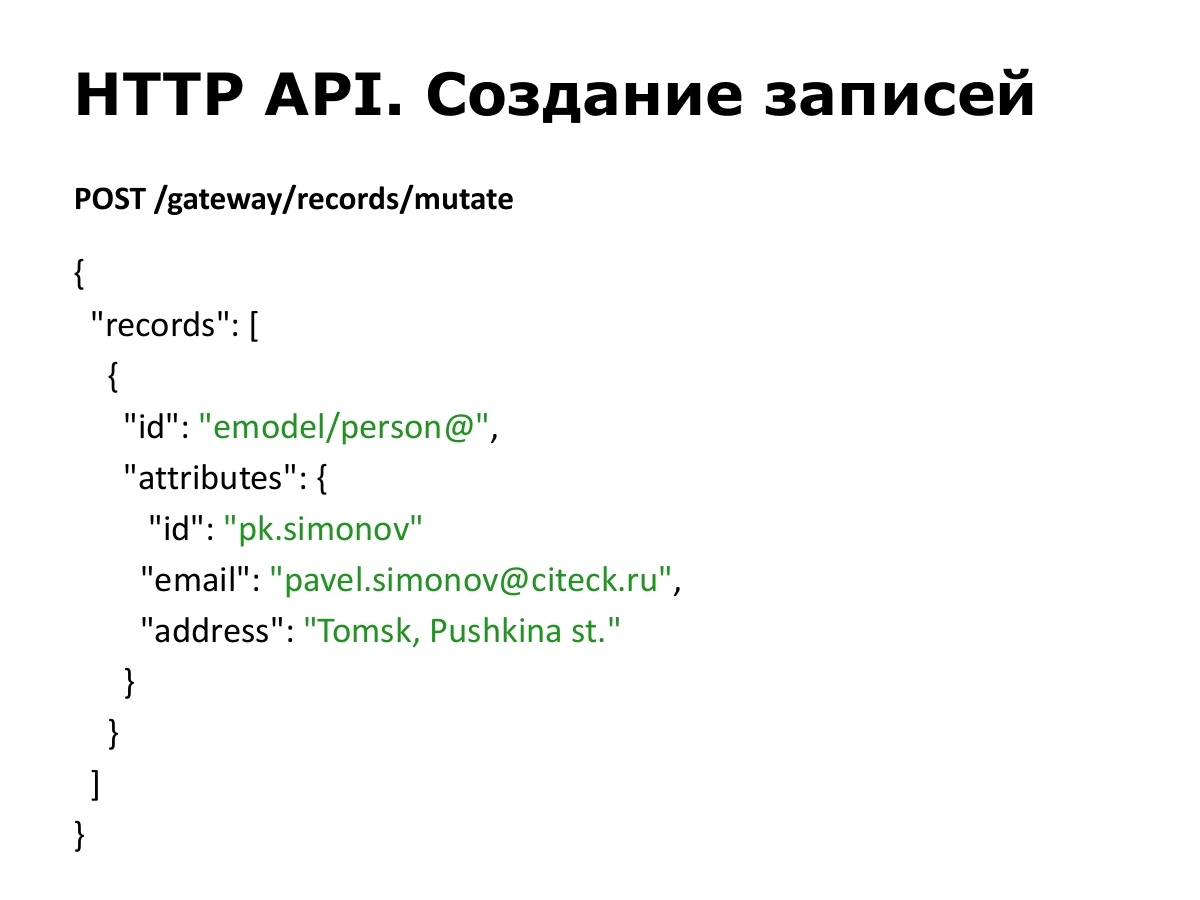
Creation uses the same mutation endpoint. There is nothing after @ in emodel/person@, indicating a new entity.
Supplying a local id in attributes can allow updating an existing record with that ID; otherwise a record is created with the supplied ID. Here we provide pk.simonov, email and address.
POST /gateway/records/mutate

{
  "records": [
    {
      "id": "emodel/person@",
      "attributes": {
        "id": "pk.simonov",
        "email": "pavel.simonov@citeck.ru",
        "address": "Tomsk, Pushkina st."
      }
    }
  ]
}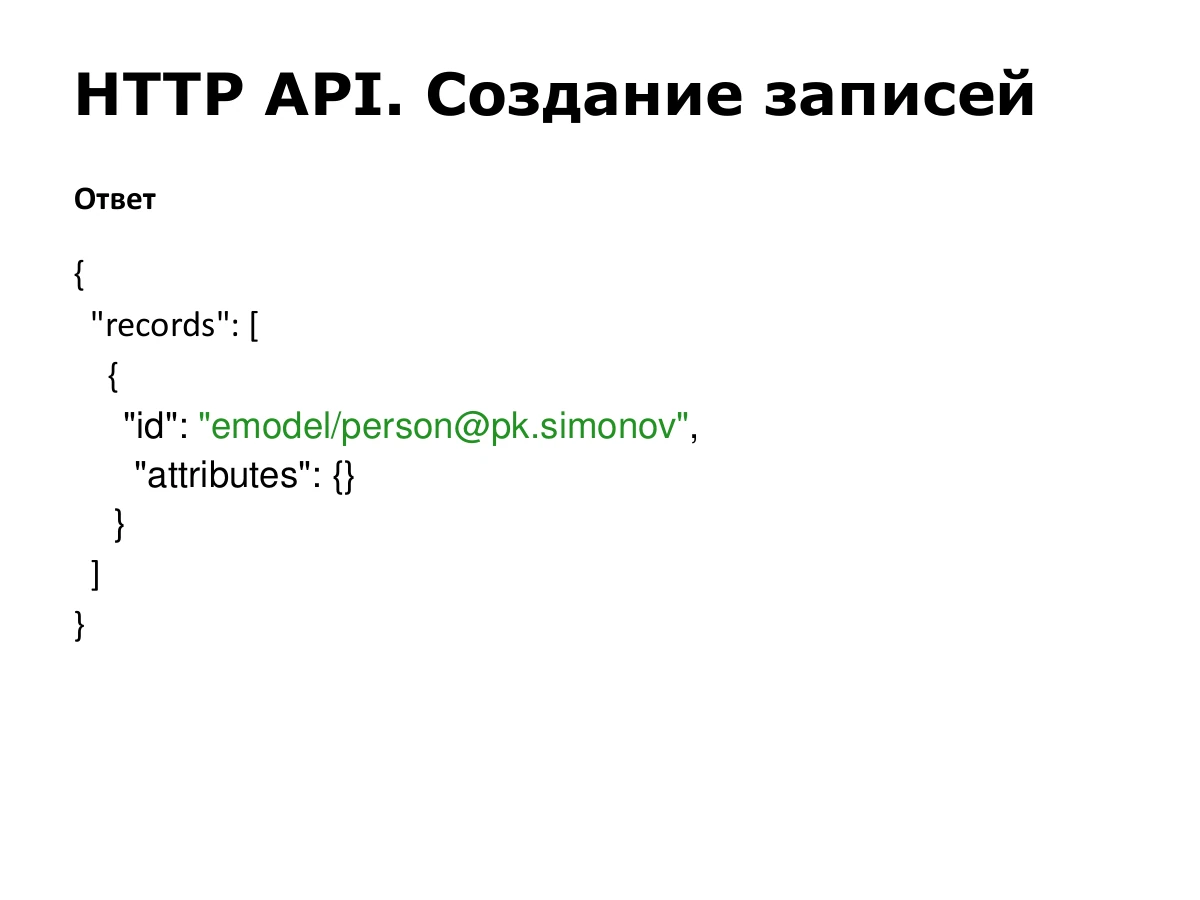
The response has the same structure as an update, but contains the created record’s ID: emodel/person@pk.simonov in this example.
{
  "records": [
    {
      "id": "emodel/person@pk.simonov",
      "attributes": {}
    }
  ]
}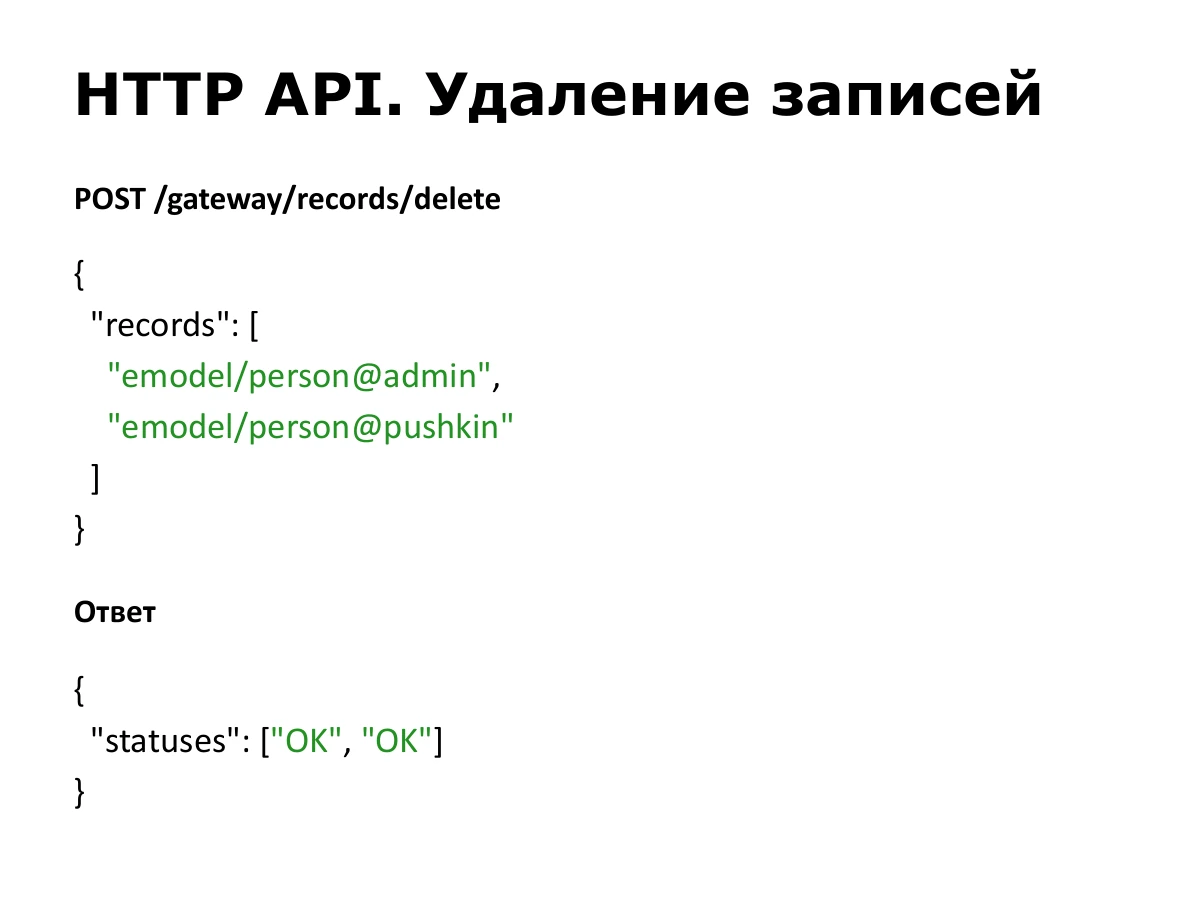
For deletion, supply a list of IDs. The response contains an operation status, OK or another result, for each record.
POST /gateway/records/delete

{
  "records": [
    "emodel/person@admin",
    "emodel/person@pushkin"
  ]
}

{
  "statuses": [
    "OK",
    "OK"
  ]
}
That completes the main part. There is a demo project you can download and run. It is independent of our platform, with the Records API library and a test data source that stores data in memory.
This is a frontend track, but the API also has interesting backend aspects. It is friendly to both: a client requests a representation, a source returns its own, and the attribute syntax connects them. When necessary, the engine converts strings to numbers or numbers to strings.
Thank you! The slide links to the documentation, which focuses more on use within our platform. If you missed the demo link, it is also near the beginning of the documentation.
https://citeck-ecos.readthedocs.io/ru/latest/general/ECOS_Records.html
Question: is there a ready-made client, or should requests be sent directly, for example with Axios?
Answer: our platform has a client, mainly for optimisation. When different components need user data or attributes of different entities, it combines the requests and sends them together. But that is a benefit of the approach: you can construct ordinary JSON and use any HTTP client. An additional wrapper exists within the platform.
Question: if the client is not tied to business entities, can it collect all information?
Answer: I meant the frontend must not depend on specific business entities, because they are dynamic and created on the fly. The platform’s permission engine restricts access: records without view permission cannot be requested. Separate attribute permissions can prohibit reading or modifying individual fields.
Access checks belong to the Record Source or Records DAO implementation. We have shared implementations for different types, but this is outside the API protocol itself.
Question: are selection conditions and searches supported, including nested reference data?
Answer: scalars can have arguments, usually for searching, but each implementation determines how to process them. Records Query handles general searches: source, language, conditions and pagination. A generic table sends one query format to the selected source and gets a response regardless of data type.
Searches through associations have also been added. If data is in one database schema, a path such as user.email can be used. The backend identifies user as an association, resolves the related entity’s type and sourceId, finds its table and adds a JOIN to the SQL query.
Question: is there a limit to query complexity?
Answer: the shared engine does not cover every possible query. It implements basic operations such as equals, not equals, starts with and ends with, plus the related-table searches discussed above. A more complex task may require a separate data source.